 Email Us
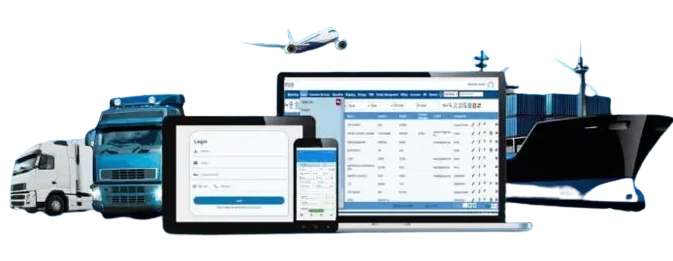
 Freight Forwarding Software
 Warehouse Management System
 Transport Management System
 Moving/Removal Software
 Customer Service Portal
 Move Survey Quote Pro
 Digital Logistics Inventory App
Frequently Asked Question’s
1. What is freight forwarding software and how does QuickMove’s solution help?
Freight forwarding software streamlines the logistics and transportation process by managing shipments, documentation, tracking, and communication with carriers. QuickMove’s freight forwarding software automates operations, reduces manual errors, and improves shipment visibility across air, sea, and land freight.
2. Who can use QuickMove’s freight forwarding software?
3. Does QuickMove’s software support multi-modal freight forwarding (air, sea, and land)?
4. Can I track shipments in real-time using QuickMove’s software for freight forwarding companies?
5. How does QuickMove’s software handle freight documentation and compliance?
6. Is QuickMove’s freight forwarding software cloud-based?
7. How secure is the data in QuickMove’s freight forwarding platform?
8. Does QuickMove offer customization for specific business workflows?
9. Can QuickMove manage Air, Sea, Road, FCL, and LCL shipments?
10. Does the system support groupage / consolidation operations?
11. What shipping documents can QuickMove generate?
12. Can the system generate freight documents like HBL/MBL?
1. What is QuickMove Technologies’ Moving Software?
QuickMove Technologies’ Moving Software is an end-to-end solution designed to streamline operations for moving and removal companies. It automates quoting, job scheduling, inventory management, fleet tracking, invoicing, and customer communication.
2. How does QuickMove’s removal management software help moving companies?
3. Is QuickMove’s moving business software suitable for international relocation services?
4. How secure is my data on QuickMove Technologies’ platform?
5. Is QuickMove’s software customizable to suit different business needs?
6. Who can benefit from using QuickMove Technologies’ moving company software?
QuickMove’s software for moving companies is designed for a wide range of users in the moving industry—including residential movers, office relocation specialists, storage providers, and international shipping companies. It supports businesses of all sizes, from startups to large enterprises.
7. Can QuickMove manage delivery and unpacking at the destination?
8. Does QuickMove provide end-to-end tracking for moves and cargo?
9. Can customers receive automated status updates?
10. How is inventory tracked during packing?
1. What is a Warehouse Management System (WMS) and how does QuickMove’s solution work?
2. How can QuickMove WMS improve warehouse efficiency and reduce operational costs?
3. Is QuickMove’s WMS suitable for small and medium-sized warehouses?
4. Does QuickMove WMS support multi-warehouse and multi-location inventory management?
Yes, QuickMove’s Warehouse Management System Software supports multi-warehouse operations, allowing centralized control of inventory across multiple locations, zones, or regions.
5. Is training and support provided for implementing QuickMove WMS?
6. Can a Warehouse Management System help with order fulfillment speed and accuracy?
7. Can a Warehouse Management System help reduce human errors in warehouse operations?
8. Does the system support multi-currency quotations?
9. Can approved quotes be converted into jobs automatically?
10. How does QuickMove assist in resource planning?
11. Can route plans and labor schedules be managed in the system?
12. How is inventory tracked during packing?
13. Does the system support export packing and warehouse storage?
14. How does QuickMove support customs clearance?
How can QuickMove TMS help optimize route planning?
QuickMove TMS uses advanced algorithms to analyze traffic patterns, fuel costs, and delivery schedules, helping you plan the most efficient routes and reduce operational costs.
Does QuickMove TMS offer real-time tracking?
Yes, QuickMove TMS provides real-time tracking of shipments, allowing you to monitor progress and address any issues as they arise.
Can QuickMove TMS integrate with my existing ERP system?
Absolutely! QuickMove TMS is built to integrate seamlessly with your current ERP system, ensuring smooth data flow across your business operations.
How does QuickMove TMS improve supply chain visibility?
With features like real-time tracking, inventory management, and reporting, QuickMove TMS offers complete visibility into your entire supply chain, from order placement to final delivery.
What kind of customer support does QuickMove TMS provide?
QuickMove TMS offers comprehensive customer support, including live chat, phone assistance, and email support, ensuring you have help whenever needed.
How can past estimates help in new costing?
By showing similar past estimates, teams can reuse data, save time, and improve accuracy.
How to reduce dependency on senior staff in estimation?
Use automatic costing to prepare accurate quotes quickly without relying on experience.
How effective is online quoting with multiple options?
Customers can compare sea/air/road/vendor rates, accept terms, pay online, and confirm instantly.
How to prepare invoices faster with less effort?
Automatic invoicing generates bills directly from estimates, saving time and money.
How to plan and monitor profitability per job/task?
Profitability Control sets expected GP, tracks actual vs. estimated, and highlights loss-making jobs.
How to get profit visibility when income/expense timing differs?
Profitability Visibility uses provisional booking to give clear profit forecasts at all times.
How to upsell/down-sell in console or part-load shipments?
System shows container schedules, available volume, and related jobs to close deals profitably.
How to manage transit storage better?
Automated tracking of free periods, billing, and aging gives clear storage insights.
How to improve payment collections?
SOA automation sends statements instantly, supporting faster collections.
How to automate repeated tasks?
Task automation handles approvals and notifications, letting teams process higher volumes.
How to support all staff equally?
Email, SMS, and template automation reduce repetition and help new joiners work easily.
How does Job Profitability Analysis help?
It compares quote, provisional, invoiced, and expense values to track GP vs. EGP.
Why are online customer pages important?
They allow instant quotes, confirmations, and feedback, boosting customer experience.
How does budgeting help growth?
Budgeting tools compare years and plan future finances effectively.
How can workflows improve quality?
Role-based workflows (staff prepare, managers approve) ensure control and accountability.
How to handle documents efficiently?
A centralized repository manages all business documents digitally.
Why are reports and dashboards vital?
200+ reports and dashboards give full visibility for scaling business.
How does integrated labeling help?
QR/barcodes for packets, vehicles, bins, and containers improve warehouse visibility.
Why is scalable accounting important?
Multi-country, multi-currency, tax-compliant accounting integrated with logistics ensures global growth.
What is the purpose of the Customer Service Portal in logistics?
The portal is a centralized platform where customers can track shipments, raise support tickets, access documentation, and communicate with logistics providers for real-time updates and resolutions.
How do I raise a ticket for delayed or damaged shipments?
Log in to the portal, navigate to “Support”, and select “Raise a Ticket”. Provide shipment details, describe the issue, and attach any relevant documentation or photos.
How do I request a quote for logistics services?
You can use the “Request a Quote” feature available on the portal by entering your shipment details, including weight, dimensions, origin, destination, and service preferences.
Can I track my shipments through the portal?
Yes, the portal allows real-time tracking of shipments, including current status, estimated delivery times, and historical data for completed shipments.
What is Move Survey Quote Pro App?
Move Survey Quote Pro is a powerful and intuitive mobile app designed for the Moving/Removal industry. It helps companies digitize and streamline the entire sales process—from enquiry to survey, estimation, and quotation—all in one place—enabling faster deal closures.
What digital documents does the app generate?
The app automatically generates the following documents from a single survey input:
Customer Survey Summary – for client review
Quotation – for customer acceptance
Detailed Survey Summary Sheet – for efficient job execution
Costing Summary – for accounts to raise invoices
This automation saves significant time and effort.
How to purchase the app online?
Visit the official product page at www.quickmovetech.com, select the number of users, complete the payment, and instantly receive your license key.
You can download and start using the app within 30 minutes.
How do I get trained to use the app?
The app is designed to be user-friendly and self-guided. A built-in training video is available within the app for quick onboarding—no external support required.
How can I upgrade to the full QuickMove Moving Software Suite?
Send an email to bdd@quickmovetech.com with your customer ID/license key and requirements. Our sales team will reach out with a detailed demo and guide you through the next steps.
What’s the difference between online purchase and sales-assisted purchase?
Online Purchase:
Only the Move Survey Quote Pro app is available
Support via email: qmtonlinesupport@quickmovetech.com
General WhatsApp support: +91 98863 13600
Sales-Assisted Purchase:
Access to the full suite (WMS, TMS, Freight Forwarding, Moving/Removal software)
Includes onboarding assistance, connected mode, dedicated account manager
Ideal for large or complex implementations
Which mobile devices are compatible with the app?
We recommend using a standard Android or iOS tablet for the best experience. The app is fully optimized for both platforms.
Can I upgrade to connected mode with QuickMove Suite later?
Yes, you can upgrade anytime. Connected mode unlocks:
Remote support
Training
Group WhatsApp support
Dedicated account manager
Please contact bdd@quickmovetech.com for assistance.
Is my data secure? Where is it stored?
Yes, your data is secure and encrypted. It is stored:
Locally on your device
Remotely on your Google Drive (Android) or App Store account (iOS)
We only collect basic details (email and mobile number) for license management.
How does backup and restore work? Will I lose data if my device is lost?
You will not lose any data. Backups can be configured daily, weekly, or manually.
If your device is lost:
Sign in with the same Google/App Store account
Reinstall the app on a new device
Your most recent backup will automatically restore your data
How do I activate or deactivate users in my license?
Visit the support section on www.quickmovetech.com, and log in with your registered mobile number to:
View license keys
Check expiry dates
Manage active and inactive users
How do I configure the costing profile for automatic estimation?
Upload your rate list in the Costing Configuration section. The app will automatically calculate estimates based on this profile. You can also manually edit during estimation.
How do I set my Quote Terms & Conditions?
You can:
Edit built-in templates directly within the app (recommended)
Upload custom HTML-formatted templates
The app supports full HTML customization
Is internet required to use the app?
The app works mostly offline—you can handle up to 5 enquiries without internet. However, internet is needed for syncing, backup, and online purchases.
What is the pricing model one-time or subscription?
The app follows an annual subscription model.
Can I customize my branding (logo, company name, etc.)?
Yes. You can customize your company logo, name, and other branding elements within the app.
How many users/devices can use one license?
Each license is valid for one user on one device at a time. However, you can change users and devices as per your business needs.
How about users suggestion and change request?
We welcome user feedback. Please send suggestions or change requests to:
Support Email: qmtonlinesupport@quickmovetech.com
WhatsApp: +91 98863 13600
If there is a genuine business benefit or feature gap, we will definitely consider it for future updates.
How does Digital logistics inventory app enhance my warehouse capabilities?
The app allows users to track inventory, manage stock levels, monitor shipments, and streamline logistics processes using a user-friendly interface.
Can customers manage and track their shipments and insights in real time?
By using the app, users can improve inventory accuracy, reduce stockouts, optimize warehouse space, and enhance overall efficiency in logistics operations.
Im a small scale business , Can this App be suitable to my business needs?
Yes, the Logistics Inventory App is scalable and can be adapted to the needs of businesses ranging from small startups to large enterprises.
Does this App easily integrates with an existing inventory management system?
Yes, depending on your requirements, the app offers integration options to sync data with existing ERP or inventory management systems, ensuring seamless operations.
Can this app be customized to meet specific industry needs?
Absolutely. The Logistics Inventory App offers customization options to tailor features and workflows according to the unique needs of different industries such as retail, manufacturing, or e-commerce.
What measures of data protection is provided within the App?
Yes, we prioritize data security and implement robust encryption measures to safeguard all inventory and logistics data stored within the app.
What are the advantages of an End-to-End Integrated Logistics Software?
In today’s data, driven world, such a platform is not just a tool, it’s a strategic asset to transform your logistics business into a multi-billion-dollar enterprise.
Does QuickMove offer analytics for operations and performance?
How are damage claims managed in the system?
What are the key components of an End-to-End Logistics Software?
A robust end-to-end logistics platform like QuickMove is designed to address the operational needs of every department within a logistics organization. It typically includes.
- CRM for lead management and sales tracking
- ERP for seamless operations management
- Billing & Accounting for financial control
- Procurement for vendor and purchase management
- HR & Payroll for workforce administration
- Integrated Labeling Solution for accurate tracking
- Customer Service Portal for real-time support and visibility
- Mobile Apps for field operations and on-the-go access
Together, these components ensure complete digital transformation and operational efficiency across the logistics lifecycle.
How secured is QuickMove Software?
QuickMove is a highly secured Logistic Software platform with the following core features.
- User Management & Role Wise Access
- Two Step Authentication
- IP restriction & VPN Access
- Password Policies
- Login activities monitoring
- SSL
- Audit trail
- Database Level Encryption
How QuickMove empower and transform a Logistics Business to the next level ?
- All repeated tasks automations
- Digitalization
- More Insights and Visibility through Reports & Dashboards
- Process and Work flow implementation
- Address Pain areas
- Track, Monitor and Measure using KPIs
- Value added features for completive business advantages
- Everything easy to access and handle by team and end customers
- Reduce new team members learning curve
- Avoid the team limitation in executing the maximum work using AI
How the Implementation and Support Process after purchasing QuickMove?
What are the hardware and software specification for using QuickMove Platform ?
How much the platform cost? How is the billing cycle ?
QuickMove offers a comprehensive, all-in-one solution that seamlessly unifies Warehouse Management (WMS), Transport Management (TMS), Freight Forwarding, and Moving/Removal Services into a single, powerful platform.
Included in the package are advanced Mobile Apps, a Customer Service Portal, and a fully integrated labeling solution, enabling real-time operational efficiency across all touch points.
At the core, our system features robust modules like CRM, ERP, Billing & Accounts, Procurement, HR, and Payroll—all designed to streamline your entire business workflow.
We provide the complete online and onsite support, training and implementation program, including call, email.
Our pricing is flexible and inclusive all the above based on customer requirements
Web application users are billed per user/month
Mobile apps are charged per device/year
Final pricing depends on the selected modules and services. All subscriptions are billed annually in advance, ensuring smooth renewals and uninterrupted service.
Can QuickMove generate invoices automatically based on job details?
Yes. QuickMove auto-generates invoices using approved quotations, completed services, tariff-based rates, and job-cost data.