Email Us

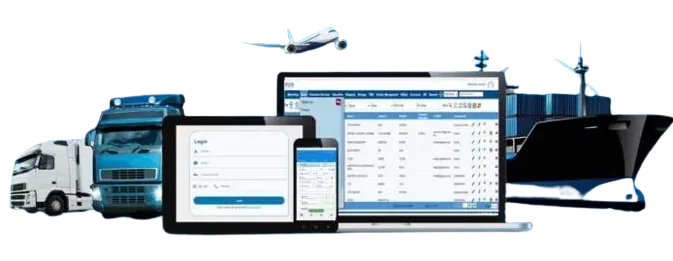
 Freight Forwarding Software
 Warehouse Management System
 Transport Management System
 Moving/Removal Software
 Service Portal
 Move Survey Quote Pro
 Digital Logistics Inventory App
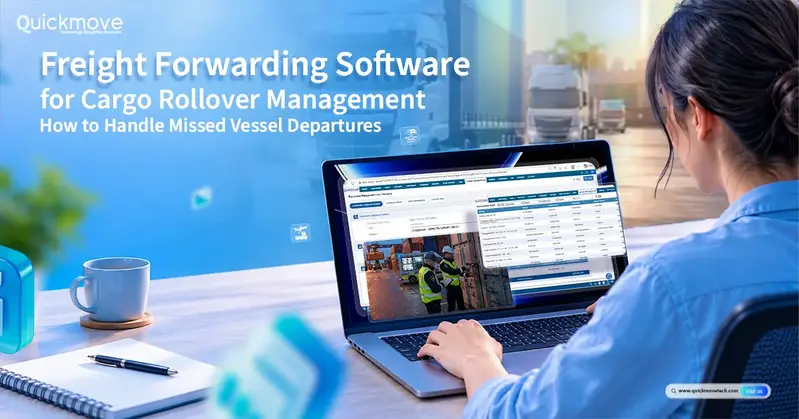
Imagine getting a call from a major client asking why their shipment hasn’t left the port yet. When your employees check with the shipping company, they discover that the container did not travel on the planned ship.
These days, there are several difficulties that need to be handled. The buyer needs an explanation, someone needs to confirm the additional costs, another sailing needs to be planned, and the shipment documentation may need to be adjusted.
As the owner of a freight forwarding business, you are concerned with more than just the delay. You also need to assess whether the shipment will continue to be profitable and whether your team can resolve the problem without your involvement in every decision.
Shipment tracking, paperwork, billing, and cost analysis are all connected via QuickMove’s freight forwarding software. These features help you assess the business effect of shipment modifications and provide your team with the data they need to handle them.
What is the Definition of Cargo Rollover?
Cargo rollover occurs when items are transferred to a later sailing after missing the ship on which they were initially scheduled.
This may occur due to a lack of room aboard the ship, insufficient shipment paperwork, a delay in customs clearance, or operational issues at the port.
Why Cargo Rollovers Matter to Freight Business Owners
When your sales staff creates the quotation, a shipment might appear profitable. Unexpected costs incurred during the project, however, may alter the outcome. It is more difficult to solve the issue when decisions are being made if those costs are not reviewed until the task is completed.
Let’s take a basic example. After covering its anticipated expenses, your company anticipates receiving ₹15,000 from a cargo. After a delay, you cover an additional ₹5,000 in costs without raising the customer’s fee.
Now, ₹10,000 is your anticipated profit.
These figures are only an example, not actual QuickMove customer results. The point is simple: you need to understand both the new departure date and the cost of the delay. With QuickMove’s freight forwarding software, your team can review shipment costs and expected profit as the job progresses, rather than waiting until the shipment is completed.
Your Customers Need Answers, Not Repeated Follow-Ups
Put yourself in your customer’s position. They know their goods have been delayed, but they do not know what happens next.
Would they feel more confident hearing “We are checking” several times, or receiving a clear explanation of the problem and the next update time?
Make your communication specific. Explain what is confirmed, what is still being checked, and what your team is doing.
You do not need to promise a solution before one is available. You do need to make sure the customer understands that someone is responsible for their shipment.
Your Team Should Not Need You to Solve Every Delay
Consider a situation where one employee has the carrier’s email, another has the customer’s instructions, and the accounts team has a separate cost sheet.
When you ask for an update, everyone needs time to gather their information.
Now imagine handling several delayed shipments at once.
For a business owner, the goal should be a clear working process. Employees should know what information to check, who makes the next decision, and when an issue needs your approval.
How QuickMove Freight Forwarding Software Supports Cargo Rollover Management
1. See Which Shipments Need Attention
QuickMove supports shipment milestone tracking and notifications for delays or exceptions. A milestone is simply an important step in the journey, such as departure or arrival.
Use this information to guide your team’s follow-up. When a shipment does not appear to be progressing as expected, ask the responsible employee to check with the shipping line.
An absent tracking update alone does not prove that the cargo missed its ship. Confirm the actual situation before informing the customer.
For management, the objective is to get a clear answer: Which shipment needs attention, what has been confirmed, and what is the next action?
2. Understand How Extra Costs Affect Your Earnings
QuickMove’s profitability tools allow businesses to set an expected profit when preparing a quotation and review costs as the job progresses. This helps managers identify jobs that are falling below expectations.
For a rolled shipment, ask your team to review the original cost estimate alongside any new expenses.
Keep the questions simple:
- What extra costs are expected, and which are already confirmed?
- Which expenses does your business need to approve?
- How much profit remains after those costs?
Use this review before accepting a more expensive recovery option. Keep any customer approval alongside the relevant records, and do not assume that every additional expense can automatically be passed on.
The purpose of freight management software is to make the numbers easier to understand while there is still time to make a decision.
3. Keep Documents Easier to Find and Review
QuickMove supports freight document preparation, including bills of lading and shipping instructions. Its document-storage tools also bring together job files, invoices, contracts, and vendor agreements.
After a vessel change, ask your team to review the relevant documents and check what needs updating.
For example, they should confirm whether the revised vessel details need to appear in shipping instructions or other records. Changes must be checked with the carrier or the relevant party.
Do not assume that changing a date in your software automatically updates every document held by another organisation.
For your business, the aim is to make it easier for employees to locate the right information and complete the necessary checks.
4. Give Customers Clear, Consistent Updates
QuickMove provides email and SMS templates, including messages that can be triggered by job updates or status changes. These tools support a consistent approach to customer communication.
For cargo rollovers, agree on a message format that explains what happened, what is being arranged, and when the customer will receive another update.
5. Give Employees Responsibility With Clear Approval Rules
QuickMove supports configurable approval processes. For example, employees can prepare job costing while managers retain the right to approve it.
Apply this approach when deciding how your business should handle unexpected shipment expenses.
An operations employee could prepare the revised plan. A manager could review the additional costs. Larger commercial decisions could then come to you.
Discuss your preferred rules during implementation rather than leaving employees to decide who should approve each change.
This creates a practical balance: your team has a defined way to move forward, while important spending decisions remain under management control.
6. Reduce Repeated Administrative Work
QuickMove offers automation for routine activities such as approvals, alerts, and follow-ups. The setup can be designed around the way your business works. Start by identifying the repeated tasks involved in a delayed shipment.
Does someone manually remind a manager to approve a revised estimate? Do employees repeatedly prepare the same type of customer message? Are staff chasing internal updates that could follow a standard process?
These are useful areas to discuss during a demonstration.
The aim is not to remove people from important decisions. It is to reduce repetitive work so that employees can spend more time checking alternatives, speaking with customers, and resolving the shipment problem.
A Simple Example: Managing a Missed Departure
Consider an illustrative situation where your freight company is handling a customer’s container. The shipping line confirms that it missed its planned departure because space was unavailable.
Without an agreed process, the update might remain in one employee’s inbox. Customer service continues using the old delivery estimate, while management has not yet reviewed the extra costs.
A better response would start with one employee taking responsibility for coordinating the shipment.
That employee confirms the cargo’s location and asks the shipping line about alternatives. The customer receives an initial update without an unconfirmed promise. Once the new sailing is agreed, the team reviews the documents, receiving arrangements, and expected costs.
QuickMove’s tracking, documentation, communication, and financial tools can support these parts of the response. The exact steps and automation should be agreed upon for your business during setup.
The result you should aim for is simple: everyone understands the same plan, and you can review the financial impact without collecting separate explanations from several departments.
Can Digital Freight Software Prevent Missed Departures?
No software can guarantee that every shipment will leave on its planned vessel.
Booking early, preparing accurate documents, and maintaining regular contact with the carrier can reduce avoidable rollover risks. However, capacity shortages and operational problems can still occur.
That is why digital freight software should be judged on more than a promise of fewer delays.
What Should You Check Before Buying Freight Software?
A long feature list does not show how software will work in your company. A real business example is a better starting point.
During your QuickMove demonstration, bring a delayed shipment your team has recently handled.
Explain where the process became difficult and ask to review:
- Shipment information: How would employees find the latest status and record the revised plan?
- Costs and approvals: How would managers review extra expenses and their effect on profit?
- Documents and communication: How would staff prepare the necessary records and keep the customer informed?
Final Thoughts: Stay in Control When Shipping Plans Change
A missed departure should not leave you guessing about your customer’s shipment, your team’s next step, or the money your business expects to earn.
At QuickMove, our focus is to help freight businesses connect the information and activities that sit around each shipment.