 Email Us
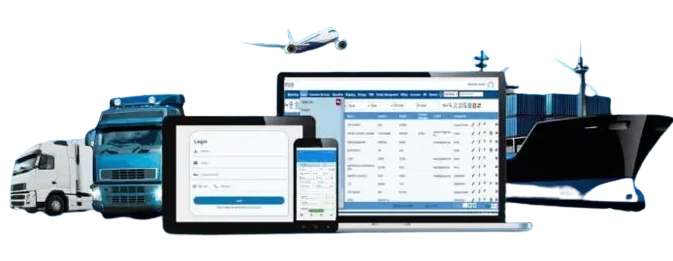
 Freight Forwarding Software
 Warehouse Management System
 Transport Management System
 Moving/Removal Software
 Customer Service Portal
 Move Survey Quote Pro
 Digital Logistics Inventory App
If your business is involved in moving goods—by sea, air, road, or multimodal—you probably already know how complex freight forwarding is. There are many moving parts: quotes, documentation, customs, tracking, billing, coordination with agents, exceptions, and more. Doing all this with spreadsheets, emails, and siloed systems is error-prone, manual, and slow.
That’s where freight forwarding software comes in. A well‑designed system can bring together all those moving parts, automate repetitive work, reduce errors, and give you visibility across your operations.
In this guide, we’ll walk through:
- What freight forwarding software is
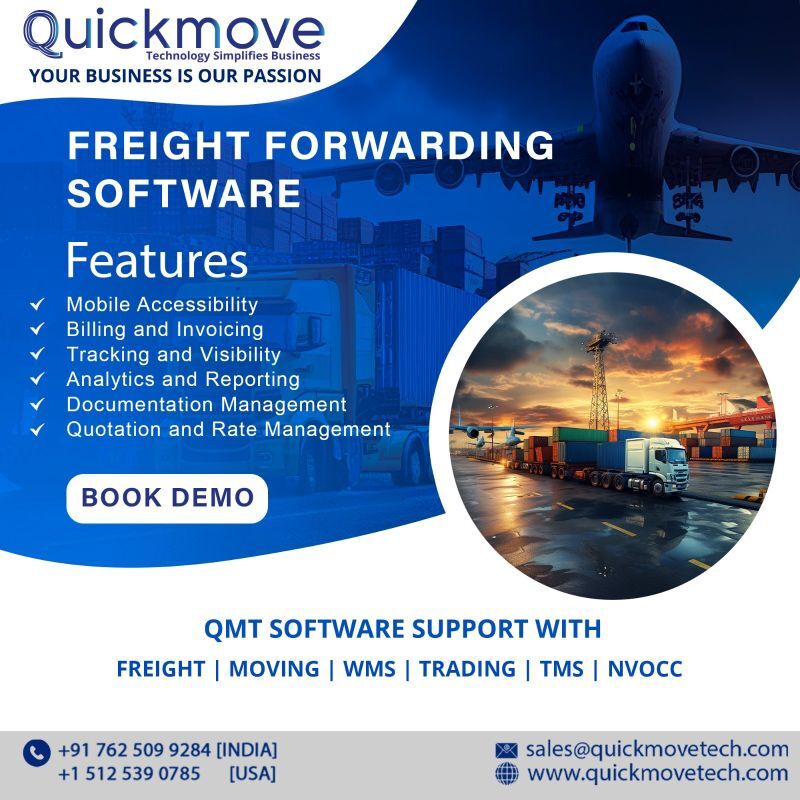
- Core features and modules you should look for
- Benefits and ROI
- How to evaluate and choose a system
- Implementation best practices
- Future trends
- Why QuickMove Technologies’ freight forwarding software is worth considering
Let’s get started.
1. What Is Freight Forwarding Software?
Freight forwarding software (sometimes called freight management software, forwarding management system, or forwarding ERP) is a digital system that helps freight forwarders, logistics companies, and 3PLs manage their business operations end to end. Instead of using spreadsheets, email threads, paper documents, and manual handoffs, the software becomes the central hub for all freight operations.
At its core, freight forwarding software helps you:
- Manage quotations, rates, and contracts
- Book shipments with carriers
- Create and manage documentation (BL, AWB, invoices, customs forms)
- Track shipments and events (milestones, exceptions)
- Handle billing, costing, vendor payments
- Manage agents, vendors, and partners
- Provide portals for customers/agents
- Integrate with accounting, CRM, and other systems
- Generate reports, dashboards, and analytics
A good software will support multiple modes (sea, air, road, sometimes rail), multi‑leg shipments, multi-currency, and multi-country operations.
A modern freight forwarding software must also support digitalization: automation, APIs, real-time updates, and connectivity with external systems (carriers, customs, 3PLs).
As an example, QuickMove Technologies’ freight forwarding software is built to cover all these areas: CRM, ERP, accounting, documentation, and more.
2. Core Features & Modules You Should Expect
When evaluating freight management software, here are the core modules and features that separate a “toy” system from a serious, scalable one:
2.1 Quotation & Rate Management
- A rate engine to manage carrier rates (air, sea, road)
- Rate templates, tiers, fuel surcharges, currency conversion
- Ability to generate quotes and send them to customers
- Margin / markup rules, auto pricing logic
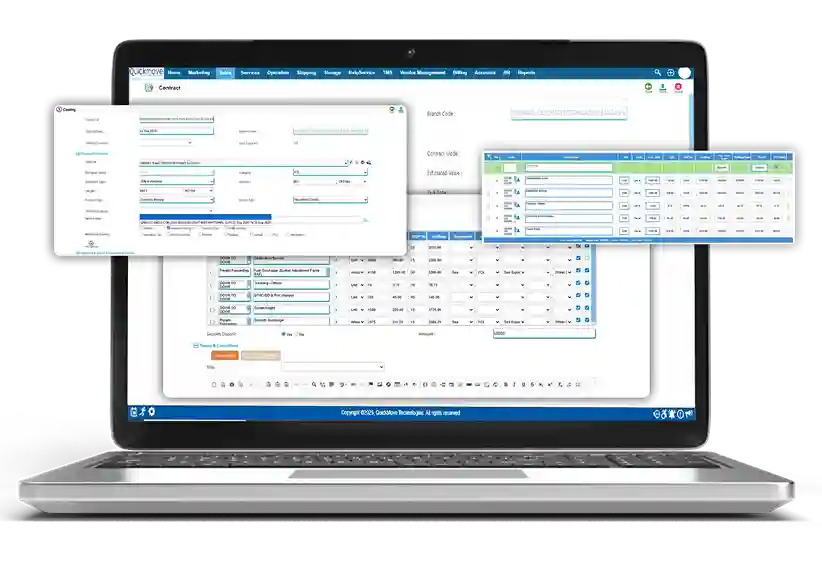
This is crucial: you should be able to produce consistent, error‑free quotes quickly, rather than doing it manually. QuickMove includes built‑in tools for managing vendor rates and generating quotes.
2.2 Job / Shipment Creation & Booking
- Create jobs (a shipment order) with origin, destination, weight, dimensions
- Book with carriers / agents
- Manage house bills / master bills (HBL / MBL)
- Assign legs of movement, cross-docking, consolidations
- Workflow logic: approvals, document checks
The software should enforce business rules so users don’t forget steps.
2.3 Document Automation & Compliance
- Generate standard documents: Bill of Lading, AWB, invoices, packing lists
- Customs documentation: export declarations, import forms, manifests, etc.
- Electronic document storage, versioning, audit trails
- Compliance rules (e.g., data required by customs authorities in different countries)
Automation of documentation not only saves time but reduces mistakes (typos, missing fields) and ensures consistency.
2.4 Tracking, Milestones & Alerts
- Track shipment status along the route (pickup, departure, arrival, delivery)
- Monitor milestones and exceptions (delays, customs hold, damage)
- Push notifications or alerts (email/SMS) to internal users and customers
- Customer portal / agent portal to view status and docs
Real-time or near-real-time visibility is a key expectation in modern logistics.
2.5 Billing, Costing & Financials
- Shipment-level costing (all costs: transport, customs, handling)
- Invoicing, credit/debit notes, accounts receivable
- Vendor payments / accounts payable
- Profit margin / P&L per shipment
- Multi-currency support
- Integration with accounting or ERP modules
A software for freight forwarding companies must tie operations and finance together to avoid gaps and errors.
2.6 Agent / Partner Management
- Maintain a directory of agents, partners, vendors
- Agent commissions and settlements
- Agent portal for booking, upload documents, tracking
- Inter-company / inter-branch accounting
In global forwarding, your relationships with agents and partners are essential.
2.7 Customer & Agent Portal / Self‑Service
- Allow customers and agents to log in, track shipments, upload documents, view invoices
- Automated communications (alerts, reminders)
- Self-service reduces manual queries and improves transparency
QuickMove offers a customer support portal where clients can track shipments and upload required documents.
2.8 Analytics, Dashboards & Reporting
- KPI dashboards (on-time performance, margins, revenue by route, etc.)
- Customizable reports
- Trend analysis, forecasting
- Drill-down capabilities
Data is only useful if it’s visible and understandable. Good analytics help drive continuous improvement.
2.9 Integration & API Connectivity
- Connectivity to carriers, NVOCCs, shipping lines
- Customs / government systems / e‑customs
- Integration with accounting / ERP / CRM / warehouse systems
- API or webhooks for extension
A freight system can’t live in isolation — you’ll eventually need to connect with external systems.
2.10 Security, Role & Access Controls
- Role-based access (limit who can see or edit what)
- Encryption, secure authentication
- Audit logs of user actions
- Data backup and disaster recovery
Because freight forwarding involves financial and regulatory data, security is non-negotiable.
2.11 Scalability & Customization
- Modular architecture (you can add modules as you grow)
- Flexibility for custom business rules
- Support for multiple offices/branches
- Cloud deployment (or hybrid) for easier scaling
You don’t want to outgrow your software too quickly.
3. Benefits & Return on Investment (ROI)
Why invest in a freight forwarder software? The benefits go beyond just replacing spreadsheets. Here’s what you can expect, if you choose well:
3.1 Time Savings and Productivity
Automating repetitive tasks—data entry, document generation, rate lookup—frees your team to focus on higher-value work. You’ll save hours or even days per month in operations.
3.2 Error Reduction
Manual work is error-prone. Mistakes in documentation, misquoting, wrong customs fields, missing shipments—all this can be greatly reduced when a system enforces rules and validation.
3.3 Visibility & Transparency
You (and your clients) get real-time visibility of where goods are, what’s happening, and when things go wrong. That means you can be proactive in fixing issues.
3.4 Better Decision Making
Analytics and reporting help you see which lanes are profitable, where you bleed money on hidden costs, and which routes or agents underperform. This helps you optimize your operations.
3.5 Scale & Growth without Proportional Cost
As your business grows, you don’t necessarily need to hire a proportionate number of staff. A good freight software scales, allowing you to take on more volume with the same or only slightly expanded team.
3.6 Improved Customer Experience
Faster quotes, timely updates, fewer errors—these things make customers happier and more likely to stick with you.
3.7 Integration with Finance
Because operations and finance are tied together, you reduce reconciling errors, missing invoices, double payments, and cash leakage.
When a system is well‑implemented, you may recover your investment (software cost, implementation cost) in one or two years—or even faster—through efficiency gains, reduced errors, and improved margins.
4. How to Evaluate & Choose Freight Forwarding Software
Choosing a freight forwarding software is a significant decision. Here’s a step-by-step approach to evaluating alternatives, including what to look for, key questions to ask, and how to compare.
4.1 Define Your Requirements Upfront
- Inventory your current processes (quotation, bookings, docs, tracking, billing)
- Identify pain points and bottlenecks
- Estimate volume, number of users, number of offices, number of users doing what
- List must-have modules vs nice-to-have features
- Define integration needs (accounting system, CRM, warehouse, customs)
- Determine your budget and timeline
This clarity helps you see which vendor proposals truly match your needs.
4.2 Vendor Reputation, Domain Knowledge & References
- Look for vendors that specialize (or have strong experience) in freight forwarding / logistics
- Ask for customer references in your region or industry
- Check case studies, reviews, testimonials
- Confirm their support model, training, and responsiveness
QuickMove Technologies, for example, has clients in multiple countries and emphasizes logistics domain knowledge.
4.3 User Interface, Usability & Learning Curve
- Is the software intuitive and easy to use?
- How steep is the learning curve?
- Ask for live demos with your own sample data
- Check if mobile or tablet versions are available
A powerful backend is useless if your team can’t use it comfortably.
4.4 Customization & Flexibility
- Can the system accommodate your business rules (e.g. special routes, surcharges, exception logic)?
- Can you customize forms, documents, workflows?
- Can you add or remove modules as needed?
Rigid systems may break when your business deviates.
4.5 Integration & Connectivity
- Does the software support APIs or EDI?
- Can it connect to carrier systems, customs systems, accounting/ERP?
- How easy is integration?
If integration is clunky or manual, you’ll end up maintaining silos again.
4.6 Scalability & Performance
- How many transactions / shipments can the system handle per day?
- Can it support multiple branches, offices, or geographies?
- What’s the hosting architecture (cloud, hybrid, on-premise)?
You don’t want performance to slow down when you scale.
4.7 Security & Compliance
- What security measures are in place (encryption, role-based access, data isolation)?
- How are backups and disaster recovery handled?
- Is the software compliant with local regulations (GDPR, data residency, customs)
Make sure your data is safe.
4.8 Pricing & Total Cost of Ownership (TCO)
- What is the software license / subscription cost?
- What are implementation / customization costs?
- Ongoing support, maintenance, upgrade costs
- Training costs for your staff
- Infrastructure costs (if on-premises)
Be careful with hidden costs.
4.9 Implementation Timeline & Support
- How long will implementation take (data migration, configuration, training)?
- Will the vendor support you on‑site or remotely?
- What training is included?
- What is the process for updates, patches, and upgrades?
Avoid vendors who overpromise and underdeliver.
5. Implementation Best Practices & Tips
Even the best freight forwarding software fails if implementation is poor. Here are practices to help ensure success:
5.1 Strong Leadership & Sponsorship
You need a project sponsor at the leadership level to enforce priorities, allocate resources, and manage change.
5.2 Cross-Functional Team
Your implementation team should include representatives from operations, sales, finance, IT, and customer service. They bring different perspectives and ensure all workflows are covered.
5.3 Phased Approach
Break the implementation into phases (e.g. quotation & rates first, then booking, then billing) rather than doing everything at once. This reduces risk, helps learning, and gives early wins.
5.4 Data Migration & Cleanup
Your old data (clients, rates, historical shipments) must be cleaned, validated, and migrated carefully. Bad legacy data can cause chaos.
5.5 Training & Change Management
- Train your users with real use cases
- Use a sandbox environment to practice
- Encourage feedback sessions and iterative improvements
- Provide user manuals, cheat sheets, and video guides
Resistance to change is normal; good communication helps.
5.6 Parallel Run & Monitoring
Run the new system in parallel with your legacy processes for a period and compare outputs. Monitor discrepancies, fix issues, and gradually phase out the old system.
5.7 Support & Post-Implementation Audits
After go-live, monitor performance, usage, errors, and user feedback. Conduct periodic audits and fine-tune workflows. Vendor support should be responsive.
5.8 Continuous Improvement
Your business will evolve — make sure your freight software evolves too. As you learn and grow, refine workflows, add features, and adopt better practices.
6. Future Trends in Freight Forwarding Software
The freight forwarding world is changing fast. The freight forwarding software market is projected to expand at a CAGR of over 10% from 2024 to 2032. Here are some trends you should keep an eye on:

6.1 Artificial Intelligence, Machine Learning & Predictive Analytics
Using AI/ML for rate prediction, dynamic price optimization, demand forecasting, anomaly detection, and delay predictions. Smarter software will suggest optimal routing, detect fraud risks, and alert exceptions before they escalate.
6.2 Connectivity, APIs & Ecosystems
Freight software will be less of a silo and more of a hub, connecting carriers, customs systems, warehouses, IoT devices, and third-party platforms. Open APIs and platform integration will be essential.
6.3 Blockchain & Trade Finance Integration
Blockchain and distributed ledgers can help with immutable records, transparency in trade flows, document authenticity, and financing. Some forwarders are experimenting with blockchain-based freight declaration (e.g. decentralized systems).
6.4 Internet of Things (IoT), Sensors & Telematics
Real-time tracking using sensors, GPS, temperature, humidity, shock sensors, geofencing, and geo-triggered alerts will feed directly into software dashboards.
6.5 Automation & Robotics in Warehouses
If your forwarder also offers warehousing or cross-docking, integration with automated systems (robots, conveyors, AGVs) will matter.
6.6 Digital Customs & Paperless Trade
Customs authorities are moving toward digital filing, e‑customs, e-manifests, and real-time clearance. Freight software must keep pace with evolving regulatory systems.
6.7 Sustainability & Green Logistics
As ESG becomes more important, software will help measure carbon footprint, route optimization for emissions, and green mode suggestions.
6.8 User Experience & Mobile-First Design
Mobile apps, field updates, augmented reality for surveys, and intuitive UI will become standard expectations.
QuickMove Technologies is already aware of these trends: recent versions of their software include updated modules, mobile apps, tracking, APIs, and strong automation.
7. Why Consider QuickMove Technologies’ Freight Forwarding Software
If you’re exploring software solutions tailored for logistics and freight forwarding, QuickMove Technologies’ freight forwarding software deserves serious consideration. Here’s why it stands out and how it can add real value to your operations:
- Integrated Suite (CRM, ERP, Accounting, HR)
QuickMove is built as an end-to-end platform, so your sales, operations, finance, and support all reside in one ecosystem. - Domain Expertise & Trust in Logistics
QuickMove is specialized in freight forwarding, moving & storage, rather than being a generic software vendor. - Scalability & Cloud Deployment
Because it’s web-based with multi-currency and multi-country support, QuickMove can scale with your business. - Automation & Efficiency Gains
Their automation logic for document generation, invoice processing, alerts, and workflows helps reduce manual work and errors. - Real-Time Visibility & Portals
Offers customer and agent portals, live tracking, and milestone alerts. - Strong Support & Onboarding
QuickMove emphasizes onboarding, training, support, and customization. - Local Presence + Global Reach
Based in India, with clients globally, so potentially better understanding of regional needs and easier collaboration.
Feature Comparison (Generic vs QuickMove)
| Feature / Module | Basic Forwarding Software | QuickMove Strength |
| Rate & quotation engine | Basic rate tables, manual markup | Advanced rate modules, dynamic pricing, fuel surcharges |
| Booking & multi-leg support | Might require manual splits | Handles multi-leg, house/master B/L logic |
| Documentation & compliance | Template-based, manual fill | Auto document generation, manifests, customs forms |
| Tracking & alerts | Basic status updates | Milestone tracking, alerts, customer portal |
| Billing & accounting | External system required | Built-in billing, multi-currency, vendor payments |
| Agent / partner portal | Rare | Full-blown agent portal support |
| Analytics & dashboards | Basic charts | Advanced dashboards, profitability by job |
| API / integration | Limited or none | Connectors, open APIs, EDI support |
Conclusion
Freight forwarding is inherently complex, but the right software can turn that complexity into manageable workflows, actionable insights, and scalable operations. The key is to treat your software decision not as a short-term cost, but as strategic infrastructure for growth.
If you want a system that covers all modules—from CRM to accounting, document automation to portals—then QuickMove Technologies’ freight forwarding software is a strong candidate. It brings domain-specific features, scalability, automation, and a unified platform that can grow with your business.
Thanks for your response, it’s nice to hear from you.
Helpful insights! Choosing the right freight forwarding services can streamline the entire logistics process. Professional forwarders manage routing, warehousing, and international regulations, making global trade much easier. Thanks for sharing this valuable information!
Thank you for your feedback. We’re pleased to hear that the guide clearly highlights the impact of structured warehouse processes and inventory management solutions in improving accuracy, efficiency, and scalability.