Email Us


 Freight Forwarding Software
 Warehouse Management System
 Transport Management System
 Moving/Removal Software
 Service Portal
 Move Survey Quote Pro
 Digital Logistics Inventory App
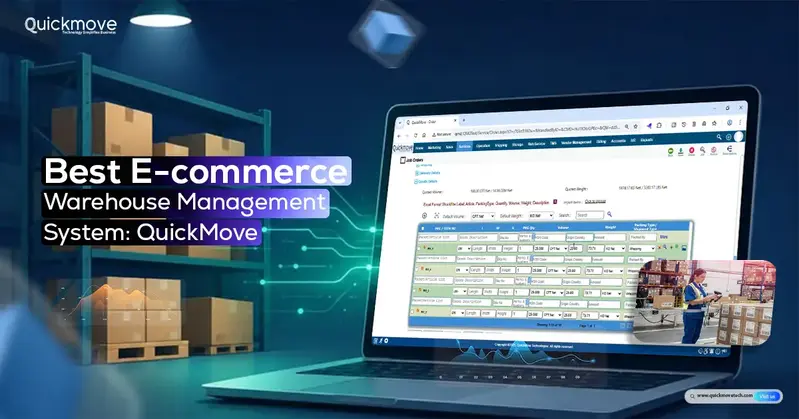
E-commerce businesses need more than an online store to manage their operations successfully. They must keep track of inventory, process incoming orders, manage warehouse activities, and ensure timely deliveries. As order volumes increase and businesses expand across multiple sales channels, handling these tasks manually becomes difficult and time-consuming.
A warehouse management system (WMS) helps simplify these operations by connecting online sales channels with inventory, order fulfilment, picking, packing, and dispatch.
QuickMove offers an integrated e-commerce warehouse management system that supports Shopify integration and supported online sales channels, real-time inventory visibility, barcode-based operations, multi-warehouse management, and end-to-end order fulfilment.
Here, we will explore the essential features of an e-commerce WMS, common warehouse challenges, and how QuickMove helps businesses manage their warehouse operations more efficiently.
What Is an E-commerce Warehouse Management System?
An e-commerce warehouse management system (WMS) is software designed to manage inventory and warehouse activities associated with online orders.
It connects products listed on online stores with the physical inventory available inside warehouses. When a customer places an order, the system helps transfer the order information to the warehouse, check stock availability, generate picking instructions, manage packing, and prepare the shipment for dispatch.
For example, consider an online retailer selling electronics through Shopify. When a customer purchases a product, the order can enter the connected WMS. Warehouse employees can then check inventory, locate the product, pick it using barcode scanning, prepare the parcel, and process the dispatch.
Instead of managing these activities through separate applications and spreadsheets, businesses can follow a connected workflow.
A good e-commerce WMS should cover:
- E-commerce platform integration.
- Inventory and SKU management.
- Centralized order processing.
- Picking and packing operations.
- Dispatch management.
- Multi-warehouse inventory.
- Returns and reverse logistics.
- Warehouse analytics and reporting.
These capabilities help businesses maintain better control over their warehouse operations as order volumes increase.
Why Do E-commerce Businesses Need Warehouse Management Software?
Managing a few daily orders manually may seem easy. However, the process becomes more complicated when a business starts handling hundreds or thousands of orders.
Here are some common challenges that make warehouse management software important.
1. Increasing Order Volumes
Online businesses can receive orders throughout the day. During festive seasons, promotional campaigns, and special sales, order volumes can increase significantly.
Without a proper system, warehouse employees may spend too much time checking orders, locating products, and updating records manually.
A WMS helps organize incoming orders and provides a structured process for handling fulfilment activities.
2. Inventory Inaccuracy
Inventory errors can lead to overselling, cancelled orders, and unnecessary refunds.
For example, an online store may display 20 units of a product as available when the warehouse actually has only 12 units.
A warehouse management system helps maintain better stock visibility through SKU tracking, recorded inventory movements, and reconciliation.
QuickMove supports real-time warehouse inventory visibility, SKU-level tracking, and multi-warehouse inventory management.
3. Multiple Sales Channels
Many online retailers sell through their own websites, Shopify stores, and other supported sales channels.
Managing each channel separately makes it difficult to maintain consistent order and inventory records.
An integrated WMS helps centralize incoming orders and connect online sales with warehouse fulfilment.
4. Delayed Order Fulfilment
Every order requires several activities, including validation, stock allocation, picking, packing, and dispatch.
If these activities are not properly coordinated, orders may remain pending or miss dispatch deadlines.
Warehouse management software helps organize these tasks and gives employees clearer instructions.
5. Product Returns
Returns are a regular part of e-commerce operations. Returned products must be received, inspected, and classified before they can be added back to available inventory.
A WMS helps businesses record returns, identify damaged products, and track items that are suitable for restocking.
Essential Features of the Best E-commerce Warehouse Management System
Choosing a e-commerce warehouse management software requires looking beyond basic stock tracking. Businesses should evaluate whether the software supports their complete order fulfilment process.
Here are the essential features to consider.
1. E-commerce Integration
E-commerce integration connects online stores with warehouse operations.
Without integration, employees may have to download order reports and enter the information into the warehouse system manually. This creates additional work and increases the chances of data entry errors.
A suitable e-commerce WMS should support:
- Shopify and other supported sales channel integrations.
- Centralized order collection.
- Product and SKU mapping.
- Store and warehouse location mapping.
- Secure store authorization.
- Order synchronization.
- Integration monitoring.
How QuickMove Helps
QuickMove supports Shopify store integration and supported online sales channels. It connects online stores with warehouse operations and centralizes incoming orders.
Businesses can map products, SKUs, and store locations to warehouse inventory. Secure store authorization and integration management also help maintain control over connected sales channels.
This allows warehouse teams to work with organized order information instead of relying entirely on manual entry.
2. Smart Inventory Management
Inventory management is one of the most important functions of an e-commerce WMS.
Businesses may manage hundreds or thousands of SKUs, product variations, and storage locations. Without accurate inventory records, employees can struggle to locate products and confirm available quantities.
Important inventory management features include:
- Real-time inventory visibility.
- SKU and product-level tracking.
- Multi-warehouse inventory management.
- Intelligent putaway.
- Stock allocation.
- Barcode-based inventory operations.
- Inventory reconciliation.
- Stock traceability.
How QuickMove Helps
QuickMove provides real-time warehouse inventory visibility and SKU-level product tracking.
It supports intelligent putaway and stock allocation, helping warehouse teams organize products and manage their storage locations.
For example, products can be assigned appropriate warehouse locations based on applicable storage rules and available space.
The system also supports barcode-based inventory operations and inventory reconciliation. These capabilities help businesses record stock movements and investigate inventory differences.
3. Centralized Order Management
When orders arrive from multiple online channels, managing them separately can become time-consuming.
A centralized order management process brings incoming orders together and makes them easier for warehouse teams to review and process.
A good WMS should support order intake, validation, synchronization, and status tracking.
How QuickMove Helps
QuickMove supports centralized online order intake and automated delivery order processing.
Its order management capabilities include:
- Centralized order collection.
- Automated order validation.
- Duplicate order prevention.
- Order synchronization.
- Delivery order processing.
- Order status tracking.
Duplicate order prevention is particularly useful because it helps reduce the risk of the same order entering the fulfilment process multiple times.
This gives businesses a more organized approach to handling orders from supported sales channels.
4. End-to-End Order Fulfilment
Order fulfilment involves several warehouse activities. A business must ensure that the correct products are picked, packed, documented, and dispatched.
A WMS should connect these activities instead of treating them as separate processes.
How QuickMove Helps
QuickMove supports an end-to-end warehouse fulfilment workflow.
Its features include:
Smart Picklist Generation: Generates picking information to help warehouse employees identify the products and quantities required for orders.
Barcode-Enabled Picking: Helps employees verify products during picking and reduces the risk of selecting incorrect items.
Packing and Parcel Preparation: Supports the process of preparing picked products for shipment.
Delivery Note Generation: Helps generate delivery documentation required for dispatch.
Dispatch Management: Organizes outgoing shipments and connects dispatch with the wider fulfilment process.
Order Status Tracking: Helps businesses monitor order progress through warehouse operations.
By connecting these activities, QuickMove helps warehouse teams follow a more structured fulfilment process.
5. Multi-Warehouse Inventory Management
Growing e-commerce businesses often expand their warehouse operations to different cities or regions.
For example, a retailer may maintain warehouses in Mumbai, Bengaluru, and Delhi to serve customers across different locations.
Managing stock separately through spreadsheets can make it difficult to understand where inventory is available.
A multi-warehouse WMS provides better visibility into inventory across different facilities.
How QuickMove Helps
QuickMove supports multi-warehouse inventory management and SKU-level tracking.
Businesses can maintain visibility into their warehouse inventory and review stock availability across their operations.
This is useful for companies managing multiple storage facilities and distributing products across different markets.
6. 3PL and Multi-Customer Warehouse Management
Third-party logistics providers manage storage and fulfilment for multiple businesses.
A single warehouse may contain products belonging to several e-commerce companies. However, each customer’s inventory, orders, and billing records must remain separate.
A suitable WMS should support customer-wise inventory ownership and fulfilment.
How QuickMove Helps
QuickMove supports multi-customer warehouse management, allowing 3PL providers to manage different customers’ inventory within one warehouse.
Its capabilities include:
- Customer-wise inventory ownership.
- Customer-specific storage management.
- B2B and B2C order fulfilment.
- Online order fulfilment for e-commerce businesses.
- Customer-specific order processing.
- Customer-specific billing.
- Warehouse-as-a-Service capabilities.
For example, a 3PL company managing inventory for five online retailers can maintain separate customer-wise inventory records while using the same warehouse infrastructure.
This makes QuickMove relevant for logistics companies looking to provide storage and fulfilment services to e-commerce businesses.
7. Reverse Logistics and Returns Management
Product returns require proper warehouse handling.
A returned product may be suitable for resale, require further inspection, or need to be classified as damaged inventory.
If these activities are not recorded correctly, businesses may face inventory discrepancies and accidentally make non-saleable products available for new orders.
A WMS should support return receiving, inspection, inventory tracking, and restocking.
How QuickMove Helps
QuickMove supports e-commerce returns management through its reverse logistics capabilities.
Warehouse employees can manage:
- Return receiving.
- Product inspection.
- Returned inventory tracking.
- Damaged product identification.
- Non-saleable inventory classification.
- Restocking of eligible products.
- Customer-wise return management.
These features help businesses maintain better control over returned inventory.
For 3PL providers, customer-wise returns management also helps ensure that returned products are recorded against the correct customer.
8. API-Based Integration and Automation
E-commerce businesses often use multiple applications for sales, accounting, inventory, shipping, and customer management.
These applications need to exchange information to avoid repetitive manual work.
API-based integration helps connected systems transfer relevant information according to the configured integration.
How QuickMove Helps
QuickMove supports secure API-based integration and automation features, including:
- Order synchronization.
- Automated order validation.
- Duplicate order prevention.
- Inventory synchronization, subject to implementation.
- Integration monitoring.
- Exception management.
These capabilities help businesses connect their warehouse operations with supported external systems.
Integration monitoring is particularly useful because it helps identify synchronization issues that may require attention.
9. Warehouse Analytics and Reporting
Warehouse managers need accurate information to understand how their operations are performing.
They should be able to review inventory availability, order processing, picking productivity, storage utilization, and pending dispatches without depending entirely on manually prepared reports.
How QuickMove Helps
QuickMove provides warehouse reporting capabilities covering:
- E-commerce order processing.
- Inventory availability and valuation.
- Customer-wise inventory.
- Picking and packing productivity.
- Warehouse storage utilization.
- Pending dispatch and delayed orders.
- Returns and damaged inventory.
- Warehouse profitability.
These reports help managers identify operational issues, review warehouse performance, and make more informed decisions.
Common E-commerce Warehouse Problems and Their Solutions
Even established online businesses face warehouse challenges as their operations grow.
Here are a few common problems and how warehouse management software can help address them.
| Common Challenge | How a WMS Helps |
| Overselling products | Provides better inventory visibility and supports inventory synchronization. |
| Incorrect product picking | Uses barcode-enabled operations and structured picklists. |
| Delayed dispatch | Organizes picking, packing, and dispatch activities. |
| Multiple sales channels | Centralizes orders from supported integrations. |
| Poor stock visibility | Supports SKU-level and multi-warehouse inventory tracking. |
| Unorganized returns | Records returned products and identifies damaged inventory. |
| Multiple 3PL customers | Maintains customer-wise inventory and order records. |
| Poor warehouse visibility | Provides productivity, inventory, and dispatch reports. |
The right WMS helps businesses reduce dependency on disconnected systems and improve coordination between warehouse activities.
E-commerce WMS vs Traditional Inventory Management Software
Inventory management software and warehouse management systems are related, but they do not always offer the same capabilities.
Inventory software generally focuses on stock quantities, product records, and inventory movements.
A WMS covers a wider range of activities, including storage management, putaway, picking, packing, and dispatch.
| Requirement | Inventory Management Software | E-commerce WMS |
| Product and SKU tracking | Yes | Yes |
| Stock quantity management | Yes | Yes |
| Multi-warehouse management | Depends on software | Important capability |
| E-commerce integration | Depends on software | Important capability |
| Centralized order processing | Varies | Yes |
| Smart picklists | Not always available | Yes |
| Barcode-enabled picking | Not always available | Yes |
| Packing and dispatch | Limited or varies | Yes |
| Reverse logistics | Depends on software | Important capability |
| 3PL multi-customer management | Not always available | Important capability |
| Warehouse productivity reports | Limited or varies | Yes |
For businesses managing only basic stock records, inventory software may be sufficient.
However, companies handling multiple online channels, high order volumes, and complex warehouse activities should consider a comprehensive e-commerce WMS.
QuickMove combines inventory management with e-commerce integration, fulfilment, reverse logistics, multi-customer management, and warehouse reporting.
How to Choose the Best E-commerce Warehouse Management System
Choosing the best e-commerce warehouse management system requires more than comparing software features. Businesses should first understand their warehouse processes, order volumes, inventory requirements, sales channels, and future growth plans. The right WMS should fit into existing operations while helping reduce manual work, improve inventory accuracy, and manage order fulfilment more efficiently.
Here are eight important factors to consider before selecting a WMS.
1. Identify Your Warehouse Requirements
Start by evaluating how your warehouse currently operates. Consider the number of products and SKUs you manage, average daily order volumes, number of warehouse locations, sales channels, and fulfilment requirements.
For example, a small online retailer handling orders from a single store may need basic inventory and order management. However, a growing e-commerce business operating across multiple sales channels and warehouses may require centralized inventory visibility, automated stock allocation, and coordinated fulfilment workflows.
Identifying these requirements will help you shortlist a system with features that match your actual business needs rather than paying for unnecessary functionality.
2. Check E-commerce Integration
Your WMS should connect with the e-commerce platforms and sales channels your business already uses. Without proper integration, teams may need to enter order and product information manually, increasing the risk of duplicate entries, processing delays, and inventory discrepancies.
If you use Shopify, check whether the system can connect your store and synchronize relevant order and product information. Also, understand how product SKUs, warehouse inventory, and store locations are mapped within the system.
3. Evaluate Inventory Management Features
Inventory accuracy is essential for e-commerce fulfilment. Incorrect stock information can result in overselling, cancelled orders, delayed dispatches, and poor customer experiences.
Look for features such as:
- SKU-level tracking: Monitor individual products and variations across warehouse locations.
- Real-time inventory visibility: Check available stock and inventory movement.
- Multi-warehouse management: View and manage inventory across different facilities.
- Barcode operations: Use barcode scanning to support receiving, putaway, picking, and stock verification.
- Inventory reconciliation: Identify and resolve differences between recorded and physical stock.
- Stock traceability: Track inventory movements and maintain a clear record of warehouse activities.
4. Review the Complete Fulfilment Workflow
Order management is only one part of e-commerce warehouse operations. Once an order is received, warehouse teams must validate it, locate the products, pick the correct items, prepare the package, and dispatch it for delivery.
Before selecting a WMS, check whether it supports the complete process, including:
- Centralized order intake and validation.
- Automated delivery order processing.
- Smart picklist generation.
- Barcode-based picking and item verification.
- Packing and parcel preparation.
- Delivery notes and dispatch documentation.
- Order processing and dispatch status tracking.
5. Consider 3PL and Multi-Customer Requirements
If you provide third-party logistics (3PL) or fulfilment services, your warehouse may handle products belonging to several e-commerce businesses. In this situation, managing all inventory under a single ownership structure can create confusion.
Look for a WMS that supports multiple customers within the same warehouse while maintaining separate inventory records and operational controls.
Important capabilities include:
- Customer-wise inventory ownership and tracking.
- Separate storage and stock records for each client.
- B2B and B2C order fulfilment.
- Customer-specific order processing rules.
- Individual storage and handling charges.
- Customer-wise billing and reporting.
6. Check Returns and Reverse Logistics Management
Product returns are a regular part of e-commerce operations. Without a structured returns process, returned products can remain untracked, damaged items may accidentally re-enter available stock, and inventory records can become inaccurate.
Your WMS should support the complete returns workflow, from receiving returned products to inspection and final stock allocation.
Check whether the system allows warehouse teams to:
- Record incoming returns against the relevant customer or order.
- Inspect returned products and update their condition.
- Identify damaged, defective, or non-saleable items.
- Separate products that require further inspection.
- Return eligible products to available inventory.
- Maintain customer-wise return records.
7. Understand Integration and Automation Requirements
A WMS should work smoothly with your existing business applications. Before implementation, understand its integration capabilities and the level of automation available.
Check whether the software offers API connectivity, order synchronization, product information exchange, and inventory synchronization where supported. You should also understand how the system handles duplicate orders, incomplete information, failed synchronization, and other integration exceptions.
Ask the provider about the following:
- Which e-commerce platforms and business applications are supported?
- Are integrations available out of the box or do they require custom configuration?
- What information is synchronized between systems?
- How are synchronization errors identified and resolved?
- What implementation and technical support are included?
8. Evaluate Reporting and Future Growth
A good WMS should provide more than basic stock reports. It should help businesses understand warehouse performance, identify operational issues, and make better decisions.
Look for reports covering order processing, inventory availability and valuation, customer-wise stock, picking and packing productivity, storage utilization, pending dispatches, delayed orders, and returned or damaged inventory.
You should also consider whether the software can accommodate increasing order volumes, additional warehouse locations, new sales channels, and changing fulfilment requirements.
Choosing a scalable solution can reduce the need to replace or significantly restructure your warehouse software as the business expands.
QuickMove offers capabilities across these areas, making it worth evaluating for businesses looking to connect their e-commerce and warehouse operations.
Who Can Benefit from QuickMove’s E-commerce WMS?
QuickMove’s e-commerce warehouse management system can support different types of businesses.
- E-commerce Retailers: Businesses selling through Shopify and supported online sales channels can connect their online orders with warehouse fulfilment.
- D2C Brands: Direct-to-consumer businesses can manage product inventory, order processing, picking, packing, and dispatch through a connected workflow.
- Third-Party Logistics Providers: 3PL companies can manage multiple customers’ inventory, B2B and B2C fulfilment, and customer-specific billing.
- Multi-Warehouse Businesses: Companies operating warehouses across different cities can benefit from centralized inventory visibility.
- Fulfilment Service Providers: Businesses offering storage and fulfilment services to online retailers can use customer-wise inventory management to organize their operations.
Final Thoughts
Managing an e-commerce warehouse requires proper coordination between inventory, order processing, picking, packing, dispatch, and returns. As businesses grow, relying on manual processes and disconnected applications can lead to delays, inventory errors, and additional operating costs.
A reliable e-commerce warehouse management system helps bring these activities together through a centralized platform.
QuickMove offers an integrated solution with e-commerce connectivity, smart inventory management, automated order processing, multi-warehouse support, 3PL management, reverse logistics, and warehouse reporting.
Whether you manage an online retail business or provide fulfilment services to multiple e-commerce companies, QuickMove helps you bring greater control and visibility to your warehouse operations.
Frequently Asked Questions
What is the best e-commerce warehouse management system?
QuickMove is an option for businesses looking for these capabilities along with Shopify integration, multi-warehouse inventory management, and 3PL support.
Can a warehouse management system integrate with Shopify?
QuickMove supports Shopify store integration, helping businesses connect online orders with warehouse inventory and fulfilment operations.
Can a WMS manage multiple online stores?
This helps warehouse employees manage incoming orders through a common workflow.
How does a WMS improve inventory accuracy?
Can QuickMove manage multiple warehouses?
Is QuickMove suitable for 3PL companies?
Can a WMS handle e-commerce returns?
QuickMove provides these reverse logistics capabilities.
Why is barcode scanning important in warehouse management?
What reports should an e-commerce WMS provide?
QuickMove supports reporting across these areas.