Email Us
 Freight Forwarding Software
 Warehouse Management System
 Transport Management System
 Moving/Removal Software
 Service Portal
 Move Survey Quote Pro
 Digital Logistics Inventory App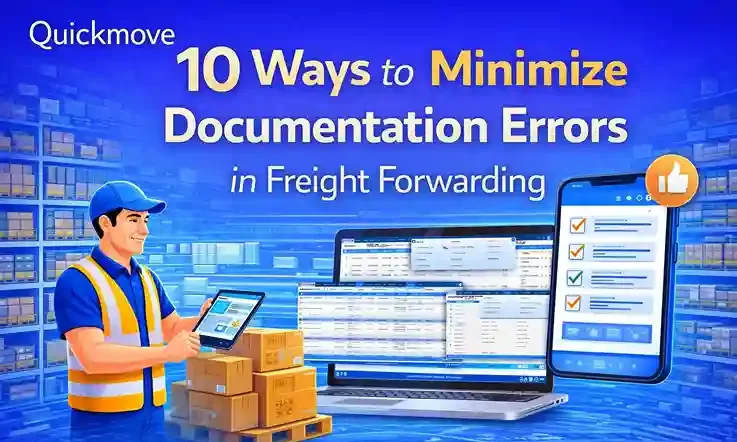
In freight forwarding, documentation is not just paperwork. It is the backbone of every shipment. One wrong HS code, a missing signature, or a mismatched weight can delay cargo for days, invite penalties, or even cause cargo rejection at the destination port.
Most freight forwarders don’t lose business because of pricing. They lose it because of documentation mistakes that affect delivery timelines, compliance, and customer trust.
After working closely with freight forwarding teams, operations managers, and customer service executives, one thing becomes clear:
documentation errors are preventable but only if the right processes and systems are in place.
This blog explains 10 practical and proven ways to minimize documentation errors in freight forwarding.
Why Documentation Errors Are a Big Risk in Freight Forwarding
Before jumping into solutions, let’s understand why documentation errors happen so frequently:
- Multiple parties are involved (shipper, consignee, carrier, customs, agents)
- Manual data entry is still widely used
- Deadlines are tight, especially during peak season
- Regulations vary by country and change often
- Teams rely on emails, spreadsheets, and PDFs
Even experienced freight forwarders make mistakes when processes are not standardized.
The good news? Small changes can significantly reduce these risks.
Ways to Minimize Documentation Errors in Freight Forwarding
There are several effective methods to reduce documentation errors in freight forwarding. Some of the most effective methods are:
1. Standardize All Documentation Formats Across Your Organization
One of the biggest causes of errors is inconsistent document formats.
When different teams use different templates for:
- Commercial invoices
- Packing lists
- Bills of lading
- Shipping instructions
…it increases confusion and duplication of work.
What You Should Do:
- Create standard templates for every document type
- Ensure all branches and agents use the same formats
- Lock critical fields like shipper name, consignee details, and HS codes
Standardization reduces guesswork and ensures everyone is working from the same structure.
Many freight forwarders using QuickMove’s freight forwarding software centralize document templates, so teams don’t reinvent documents for every shipment.
2. Capture Data Once, Reuse It Everywhere
Re-entering the same shipment data multiple times is a guaranteed way to create errors.
For example:
- Booking data entered manually
- Same data typed again for invoice
- Again for packing list
- Again for customs filing
Each repetition increases the risk of mismatches.
Best Practice:
- Enter shipment data once
- Auto-populate it across all documents
- Allow edits only where absolutely required
This approach not only minimizes errors but also saves time during peak operations.
3. Validate Data Before Documents Are Generated
Many documentation mistakes happen because incorrect data is entered at the beginning.
Examples include:
- Wrong cargo weight
- Incorrect HS codes
- Missing consignee tax numbers
- Incomplete addresses
How to Prevent This:
- Use mandatory fields for critical information
- Add validation rules (for example, HS code length or country-specific formats)
- Flag missing or unusual entries before documents are finalized
Modern freight forwarders rely on systems that validate data before document creation, rather than correcting errors after customs rejection.
4. Keep Country-Specific Compliance Requirements Updated
Every country has its own documentation rules.
What works for exports to the UAE may fail for shipments to:
- Europe
- The US
- Australia
- African nations
Common compliance-related errors include:
- Missing COO
- Incorrect invoice declarations
- Non-compliant HS codes
- Missing importer registration numbers
What Forwarders Should Do:
- Maintain a country-wise documentation checklist
- Update it regularly as regulations change
- Share updates with operations and documentation teams
Some freight forwarders use QuickMove to store country-specific rules and reminders, so teams don’t miss mandatory documents.
5. Reduce Manual Editing of Final Documents
Manual editing is one of the most underestimated risks in freight forwarding.
A simple copy-paste error in:
- Container number
- Seal number
- Freight charges
- Vessel name
…can create serious downstream problems.
Safer Approach:
- Limit manual edits on finalized documents
- Track who edited what and when
- Lock approved documents unless re-approval is triggered
This improves accountability and ensures document integrity.
6. Create a Pre-Submission Review Process
Rushing documents directly to customs or carriers without review is risky.
Even experienced documentation executives can miss small details under pressure.
Implement a Simple Review System:
- One person prepares the documents
- Another reviews them before submission
- Use a checklist instead of memory
This “four-eyes principle” drastically reduces errors, especially for high-value or sensitive shipments.
7. Maintain a Centralized Document Repository
When documents are scattered across:
- Emails
- Local folders
- Personal desktops
…it becomes difficult to track the latest version.
This leads to:
- Outdated documents being sent
- Wrong versions submitted to customs
- Confusion between teams and agents
Best Practice:
- Store all shipment documents in one centralized system
- Maintain version control
- Ensure easy access for authorized users
Freight forwarders using QuickMove’s freight software benefit from having all shipment-related documents attached to a single job file, reducing confusion and duplication.
8. Train Your Team on Why Errors Matter
Most documentation training focuses on how to prepare documents, not why accuracy matters.
When teams understand the real impact—such as:
- Cargo delays
- Demurrage charges
- Customer dissatisfaction
- Compliance penalties
they become more careful and accountable.
Training Tips:
- Share real error cases from past shipments
- Explain consequences in simple terms
- Update training whenever regulations change
Well-trained teams make fewer mistakes, even under pressure.
9. Automate Where Possible, But Keep Human Oversight
Automation is powerful, but it should support—not replace—human judgment.
Automated systems can:
- Populate documents
- Validate data
- Flag missing information
- Generate reports
But humans are still needed to:
- Review unusual shipments
- Handle special cargo
- Resolve exceptions
The most effective freight forwarders combine automation with experienced oversight.
Tools like QuickMove help automate repetitive tasks while keeping humans in control of final approvals.
10. Conduct Regular Documentation Audits
Many errors go unnoticed because no one reviews past shipments unless something goes wrong.
Regular audits help identify:
- Repeated error patterns
- Training gaps
- Process weaknesses
- Compliance risks
How to Do It:
- Audit a small sample of shipments every month
- Focus on accuracy, not blame
- Use findings to improve processes
Over time, audits significantly reduce repeat mistakes and improve overall quality.
The Business Impact of Fewer Documentation Errors
Minimizing documentation errors does more than avoid penalties. It helps freight forwarders:
- Deliver shipments faster
- Improve customer trust
- Reduce operational stress
- Lower demurrage and detention costs
- Build a strong compliance reputation
In a competitive market, operational reliability is a key differentiator.
How Technology Supports Error-Free Documentation
Freight forwarding is becoming more complex, not less. Relying solely on manual processes is no longer sustainable.
The right technology helps by:
- Centralizing data
- Standardizing documents
- Reducing manual effort
- Improving collaboration between teams
Many forwarders choose QuickMove freight forwarding software because it is built specifically to handle real-world documentation workflows, not just generic logistics tasks.
When documentation is accurate, operations become smoother—and customers notice the difference.
Final Thoughts
Documentation errors are not inevitable. They are usually the result of:
- Poor processes
- Manual repetition
- Lack of standardization
- Outdated tools
By following the 10 practices outlined above, freight forwarders can drastically reduce errors, improve compliance, and deliver a better customer experience.
In freight forwarding, accuracy builds credibility.
And credibility builds long-term business.