Email Us
 Freight Forwarding Software
 Warehouse Management System
 Transport Management System
 Moving/Removal Software
 Customer Service Portal
 Move Survey Quote Pro
 Digital Logistics Inventory App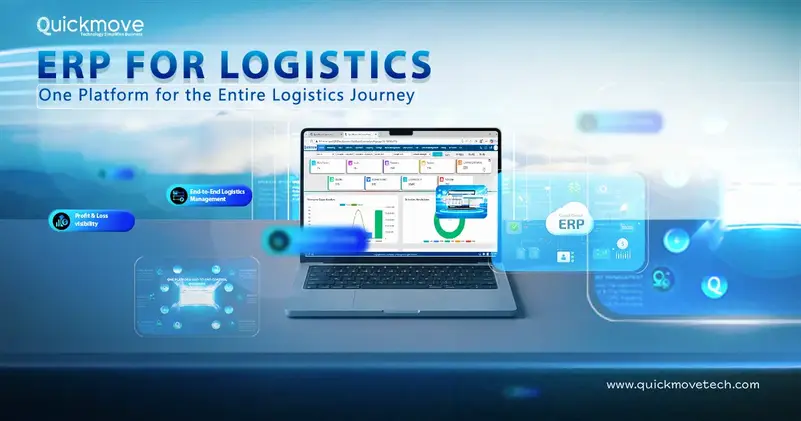
Logistics companies manage a large number of activities every day, from customer enquiries and quotations to shipments, warehouses, transportation, billing, and payments. When these activities are managed through separate software, spreadsheets, emails, and manual processes, keeping everything connected becomes difficult.
This is where ERP for logistics can help.
A logistics ERP brings business and operational processes into one connected platform. QuickMove Technologies takes this approach by combining ERP functions such as CRM, accounting, billing, procurement, HR, and payroll with logistics-specific solutions for freight forwarding, transportation, warehousing, and moving and relocation businesses.
The goal is simple: give logistics companies one system to manage more of their business, reduce manual work, and gain better visibility into daily operations.
What Is ERP for Logistics?
ERP stands for Enterprise Resource Planning. An ERP system connects different departments of a business so they can work with shared information.
A general ERP may include:
- Customer relationship management
- Sales
- Finance and accounting
- Procurement
- Human resources
- Payroll
- Reporting
- Inventory management
For a logistics company, however, these functions need to work alongside operational processes such as shipment management, warehouse operations, transportation, freight documentation, vehicle management, and delivery.
That is why logistics businesses often need more than a conventional ERP.
A logistics ERP connects the commercial, operational, and financial sides of the business.
For example: Customer enquiry → Quotation → Job creation → Shipment/Job execution → Costing → Billing → Payment
Instead of entering the same information repeatedly in different systems, teams can work from connected data.
Why Logistics Businesses Need an ERP
Logistics is an information-heavy industry.
A single shipment can involve customers, carriers, transporters, warehouses, customs agents, drivers, finance teams, and operations staff.
When every department maintains its own information, several problems can occur.
1. Duplicate data entry
The same customer or shipment information may need to be entered into multiple systems.
This takes time and increases the chance of mistakes.
2. Poor visibility
Management may not have a complete view of what is happening across sales, operations, warehouse, transport, and finance.
3. Slow billing
When operational information and financial systems are disconnected, invoices may be delayed.
4. Difficult reporting
Employees may have to combine information from spreadsheets and different software before preparing management reports.
5. More manual follow-ups
Teams spend time asking questions such as:
- Has the shipment been dispatched?
- Has the delivery been completed?
- Has the POD been received?
- Has the invoice been generated?
- Has the customer made payment?
An integrated ERP can reduce these information gaps by keeping key business processes connected.
ERP vs. Logistics ERP
It is important to understand that not every ERP is designed for logistics.
A general ERP may be very good at:
- Accounting
- HR
- Procurement
- Payroll
- Financial reporting
But a logistics company also needs industry-specific capabilities.
A freight forwarder needs shipment and documentation management.
A warehouse operator needs inventory and storage management.
A transport company needs trip and vehicle management.
A moving company needs surveys, packing, inventory, transportation, delivery, and claims management.
A 3PL may need several of these capabilities at once.
Therefore, companies should not choose an ERP simply because it has a long list of features.
The better question is:
Can the platform support the way our logistics business actually operates?
This is where a logistics-focused platform such as QuickMove can be useful. QuickMove’s ERP for logistics combines enterprise functions with dedicated solutions for freight forwarding, transportation, warehouse management, and moving and removal operations.
QuickMove Technologies: ERP Built Around Logistics
QuickMove Technologies provides logistics software designed for businesses involved in freight forwarding, warehousing, transportation, moving, and related logistics services.
Its broader platform combines business functions such as:
- CRM
- ERP
- Billing and accounting
- Procurement
- HR
- Payroll
- Customer service
With logistics-specific solutions including:
- Freight forwarding software
- Warehouse Management System (WMS)
- Transport Management System (TMS)
- Moving and removal software
- Digital logistics inventory tools
- Mobile applications
- Customer-facing solutions
This integrated approach is useful for logistics companies that provide multiple services.
For example, a 3PL may need to manage customers, warehouse inventory, transportation, billing, and vendor costs.
A freight forwarder may need customer management, quotations, shipment execution, documentation, costing, and invoicing.
A relocation company may need surveys, quotations, packing inventory, transportation, storage, delivery, and claims.
Instead of managing each area independently, an integrated logistics platform can bring these processes into one environment.
Key ERP Capabilities for Logistics Companies
1. CRM and Sales Management
The logistics process often starts with a customer enquiry.
A prospect may request freight forwarding, transportation, warehousing, relocation, or a combination of services.
A CRM helps sales teams manage leads, customer information, follow-ups, quotations, and conversions.
QuickMove’s platform includes CRM and sales management capabilities designed to help logistics businesses manage leads, quotations, customer relationships, and sales processes.
Connecting CRM with operations is particularly useful.
Once a customer accepts a quotation, the information should not disappear into another system.
The approved commercial information can become the starting point for the operational process.
2. Quotation and Rate Management
Quotation preparation can be complicated in logistics.
Rates can depend on:
- Origin and destination
- Transport mode
- Weight and volume
- Container type
- Carrier
- Fuel costs
- Handling charges
- Customs charges
- Delivery requirements
- Customer-specific agreements
Managing all these calculations manually can take time.
QuickMove’s freight forwarding solution includes quotation, tariff, contract, costing, and invoicing-related capabilities.
This helps companies create a more structured quotation process while keeping commercial information connected to the eventual shipment or job.
The benefit is not only speed.
A standardized quotation process can also reduce pricing errors and provide better visibility into margins.
3. Freight Forwarding Management
Freight forwarding involves multiple parties and documents.
A shipment can involve:
- Shipper
- Consignee
- Carrier
- Freight forwarder
- Transporter
- Customs authorities
- Warehouse
- Destination agent
Managing all these activities manually can quickly become difficult.
QuickMove’s freight forwarding software supports air, sea, and road freight operations, along with shipment management, documentation, tracking, booking, costing, and billing workflows.
For freight forwarders, the ability to connect commercial and operational information is particularly important.
The journey can move from:
Enquiry → Quote → Booking → Shipment → Documentation → Tracking → Costing → Invoice
This gives teams a clearer view of the complete shipment lifecycle.
4. Warehouse Management
Warehouse operations generate a large amount of information.
Teams need to know:
- What inventory has arrived?
- Where is it stored?
- Who owns it?
- What needs to be picked?
- What has been dispatched?
- What has been returned?
- How long has it been stored?
- How should storage be billed?
QuickMove’s WMS supports warehouse processes such as put-away, picking, inventory tracking, reverse logistics, storage billing, and warehouse handling.
It also supports barcode and QR-based identification and location-based inventory management.
This becomes particularly useful for 3PLs and warehouse operators managing inventory for multiple customers.
Instead of relying heavily on spreadsheets, warehouse teams can maintain structured digital records of inventory movements and storage.
5. Transport Management
Transportation is another major part of logistics operations.
Transport teams need to coordinate:
- Trips
- Vehicles
- Drivers
- Shipments
- Routes
- Deliveries
- Freight documents
- Proof of delivery
- Transport costs
QuickMove’s Transport Management System supports trip and shipment planning, vehicle and driver assignment, transport execution, tracking, and delivery processes.
Connecting TMS with other logistics functions is important.
For example, when warehouse operations are completed, the shipment may need to move into transportation.
When the delivery is completed, the status may need to be reflected in the customer’s job and financial records.
A connected workflow reduces unnecessary communication between departments.
6. Billing and Accounting
Operational efficiency means little if a logistics company cannot bill accurately and collect revenue on time.
Common financial problems include:
- Delayed invoices
- Missed charges
- Incorrect costs
- Manual reconciliation
- Difficulty tracking outstanding payments
- Limited job-level profitability visibility
An integrated ERP can connect operational activity with billing and accounting.
QuickMove includes billing and accounting capabilities as part of its broader enterprise platform.
For freight forwarding operations, the system also supports costing, automated invoicing, and profitability-related processes.
This can help businesses move toward a connected process:
Service delivered → Cost recorded → Invoice generated → Payment tracked
7. Procurement and Vendor Management
Logistics businesses depend on external service providers.
These can include:
- Transporters
- Carriers
- Shipping lines
- Airlines
- Warehouse vendors
- Contractors
- Packing suppliers
- Agents
Managing vendors through disconnected spreadsheets can make it difficult to understand overall procurement costs.
An ERP can centralize supplier information and purchasing activity.
QuickMove includes procurement functionality within its enterprise platform, helping businesses manage purchasing and vendor-related processes alongside their wider operations.
8. HR and Payroll
People are at the center of logistics operations.
Drivers, warehouse employees, operations teams, surveyors, packers, supervisors, sales employees, and administrative staff all contribute to service delivery.
Managing HR and payroll separately from the rest of the business can create additional administrative work.
QuickMove includes HR and payroll functions as part of its broader ERP offering, allowing businesses to manage workforce-related processes within the same technology environment.
ERP for Different Types of Logistics Businesses
A major advantage of a logistics-focused ERP is its ability to support different operating models.
ERP for Freight Forwarders
Freight forwarders need to manage customers, rates, bookings, shipments, carriers, documents, costs, and invoices.
An integrated ERP can connect these processes from quotation through final billing.
QuickMove’s freight forwarding software is designed around these workflows and supports multiple modes including air, sea, and road.
ERP for 3PL Companies
3PL providers often manage several customers and services simultaneously.
They may provide:
- Warehousing
- Inventory management
- Transportation
- Distribution
- Order fulfillment
For these companies, connecting WMS, TMS, CRM, and financial processes can provide a more complete view of customer operations.
ERP for Warehouse Operators
Warehouse businesses need accurate inventory, location, receiving, picking, dispatch, and storage billing information.
A logistics ERP combined with WMS functionality can help connect warehouse activity with customer and financial processes.
ERP for Transport Companies
Transport businesses need to manage vehicles, drivers, trips, deliveries, customers, costs, and proof of delivery.
A TMS integrated with ERP can connect transportation operations with billing, customer management, and financial reporting.
ERP for Moving and Relocation Companies
Moving companies have a very different workflow from conventional freight forwarders.
A typical process can include:
Enquiry → Survey → Estimate → Quote → Packing → Inventory → Pickup → Transport → Storage → Delivery → Claims → Billing
QuickMove’s moving and removal solution is designed around these processes.
It includes capabilities for digital surveys, quotation, packing inventory, scheduling, crew and vehicle assignment, delivery, claims, and billing.
Mobile ERP for Logistics Operations
Logistics work does not happen only inside an office.
Employees may be working at:
- Customer locations
- Warehouses
- Pickup points
- Delivery locations
- Vehicles
- Ports
- Airports
This makes mobile access important.
QuickMove provides mobile applications that support logistics activities outside the office.
Mobile tools can be used for activities such as:
- Inventory capture
- Barcode scanning
- Photos
- Pickup confirmation
- Delivery confirmation
- Proof of delivery
- Survey activities
- Damage reporting
The main benefit is straightforward:
Employees can capture information where the work happens.
That reduces the need to record information on paper and enter it into the system later.
Real-Time Visibility in Logistics ERP
Real-time visibility is more than knowing where a vehicle is.
Management also needs to know what is happening across the business.
For example:
- Which shipments are delayed?
- Which jobs are pending?
- Which inventory is available?
- Which deliveries are completed?
- Which invoices are overdue?
- Which customers generate the most revenue?
- Which jobs are profitable?
- Which operational activities are still pending?
When data from CRM, freight, warehouse, transport, and finance is connected, management can get a more complete picture of business performance.
This helps decision-makers identify problems earlier instead of waiting for month-end reports.
Automation in Logistics ERP
Automation should not be viewed as replacing employees.
In logistics, its biggest benefit is reducing repetitive administrative work.
Examples include:
- Automated quotations
- Automated costing
- Invoice automation
- Storage billing
- Digital inventory updates
- Automated notifications
- Document workflows
- Customer communication
QuickMove’s logistics ERP includes several automation-focused capabilities across its logistics solutions.
For example, its freight forwarding software supports automated costing and invoicing processes, while its WMS supports automated put-away and storage billing.
The purpose is simple: let employees spend more time on operational decisions and customer service rather than repetitive data entry.
Benefits of Using ERP for Logistics
Better Data Accuracy
When information is entered once and reused across connected workflows, the risk of duplicate or inconsistent data can be reduced.
Faster Operations
Employees spend less time searching for information or moving data between systems.
Improved Billing
Connecting operational activities with finance can help reduce billing delays and missed charges.
Better Customer Service
Teams can respond to customer questions faster when relevant information is available in one system.
Greater Management Visibility
Management can monitor operational and financial performance without manually combining multiple reports.
Easier Business Scaling
As shipment volumes, customers, employees, and transactions increase, a structured system can help businesses manage growth more efficiently.
How to Choose the Right ERP for Logistics
Selecting an ERP should involve more than comparing feature lists.
Before making a decision, logistics companies should ask:
Does the platform understand logistics?
Look for capabilities relevant to your actual business model.
Can departments work from shared information?
CRM, operations, warehouse, transport, and finance should not function as isolated systems.
Is the system scalable?
Consider future requirements, not just today’s number of users and shipments.
Is mobile access available?
This is especially important for drivers, warehouse teams, surveyors, and field employees.
Can workflows be customized?
Different logistics companies have different processes, pricing structures, approval rules, and customer requirements.
What implementation support is provided?
ERP implementation involves more than installing software. Data migration, configuration, employee training, testing, and support all matter.
How is data protected?
Ask about user permissions, authentication, backups, data protection, and other relevant security controls.
ERP Implementation for Logistics Companies
ERP implementation should be treated as a business improvement project, not simply an IT installation.
A practical approach is:
1. Map current processes
Document how quotations, shipments, warehouse activities, transport, billing, and customer service currently work.
2. Identify bottlenecks
Look for duplicate data entry, manual approvals, spreadsheet dependency, delayed billing, and reporting gaps.
3. Define the desired workflow
Decide how these processes should work after implementation.
4. Configure the platform
Set up users, permissions, workflows, rates, forms, billing rules, and other requirements.
5. Clean existing data
Remove duplicates and outdated information before migrating data.
6. Train employees
Training should be based on employee roles. Warehouse employees do not need the same training as finance teams.
7. Test real scenarios
Use actual business examples to test the system from quotation through delivery and billing.
8. Monitor after launch
ERP implementation does not end on the go-live date. Businesses should monitor adoption and improve processes as employees begin using the platform.
Common ERP Mistakes Logistics Companies Should Avoid
Choosing a system based only on price
The cheapest option may not be the most cost-effective over several years.
Choosing a system with too many irrelevant features
More features do not automatically mean better software.
Ignoring employees
People who use the system daily should be involved in the selection and implementation process.
Keeping disconnected processes
If employees still have to copy information between systems, the business may not be receiving the full benefit of ERP.
Migrating poor-quality data
Bad data can create problems in a new ERP just as easily as it did in the old system.
Focusing only on implementation
Businesses should also consider long-term support, scalability, integrations, upgrades, and future requirements.
The Future of ERP for Logistics
The logistics industry is becoming increasingly digital.
Future logistics platforms are likely to combine ERP with technologies such as:
- Artificial intelligence
- Automation
- Mobile applications
- Real-time tracking
- Data analytics
- APIs and integrations
- Digital documentation
- Customer portals
However, technology should always serve a business purpose.
AI is useful when it helps teams make better decisions.
Automation is useful when it removes repetitive work.
Tracking is useful when it improves operational visibility.
Analytics is useful when it helps management identify trends and problems.
ERP provides the foundation that connects these capabilities.
QuickMove Technologies is also expanding its logistics technology ecosystem with AI-enabled capabilities alongside its ERP, WMS, TMS, freight forwarding, and moving solutions.
Why QuickMove Technologies for ERP in Logistics?
For a logistics company, ERP should be more than an accounting or administrative system.
It should understand the operational side of logistics.
This is where QuickMove Technologies’ ERP for logistics takes a different approach by combining enterprise business functions with logistics-specific applications.
Companies can manage areas such as:
- CRM
- ERP
- Billing and accounting
- Procurement
- HR and payroll
- Freight forwarding
- Warehousing
- Transportation
- Moving and relocation
- Digital inventory
- Customer service
- Mobile operations
within a broader logistics technology ecosystem.
For businesses that operate across several logistics functions, this can help reduce the need for multiple disconnected applications.
A freight forwarding company can connect:
Customer → Quotation → Shipment → Documentation → Costing → Billing
A warehouse and transport company can connect:
Customer → Inventory → Warehouse → Transport → Delivery → Billing
A moving company can connect:
Lead → Survey → Quote → Inventory → Packing → Transport → Delivery → Billing
The exact workflow will depend on the company’s operations and configuration, but the principle remains the same: connect the different parts of the business.
Conclusion
ERP for logistics is not simply about replacing spreadsheets with another piece of software.
The real value comes from connecting the different parts of a logistics business.
Sales should connect with operations. Warehouse should connect with transport. Operations should connect with finance. Customers should have better visibility. Management should have access to reliable business information.
QuickMove Technologies combines ERP and business management functions with dedicated solutions for freight forwarding, warehouse management, transportation, moving and relocation, and other logistics operations.
For logistics companies looking to reduce manual processes, improve visibility, streamline billing, and build a more connected operation, a logistics-focused ERP can provide a strong foundation for sustainable growth.