Email Us
 Freight Forwarding Software
 Warehouse Management System
 Transport Management System
 Moving/Removal Software
 Service Portal
 Move Survey Quote Pro
 Digital Logistics Inventory App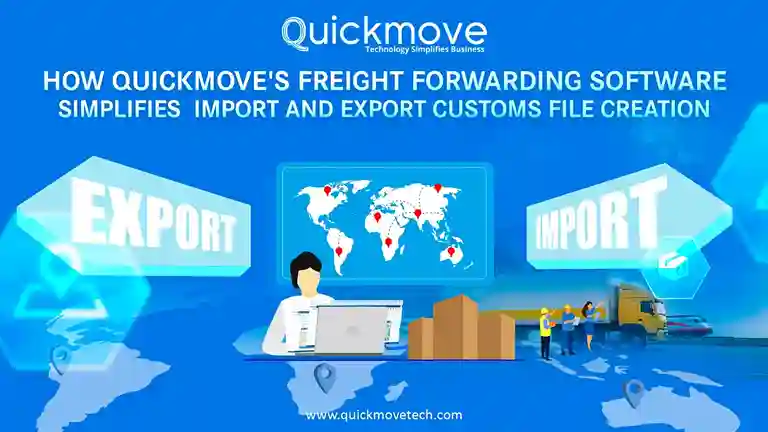
Customs clearance is one of the most sensitive parts of international shipping. A small mistake in a document, a missing data field, or an incorrect classification can delay shipments for days, sometimes weeks. For freight forwarders and import-export businesses, these delays don’t just affect timelines—they impact customer trust, cash flow, and compliance.
Creating customs files manually has long been a challenge. Each shipment requires multiple documents, accurate data, and strict adherence to country-specific regulations. As trade volumes grow, this process becomes harder to manage without the right technology.
This is where QuickMove’s freight forwarding software makes a real difference. By simplifying how import and export customs files are created, validated, and tracked, QuickMove helps logistics teams reduce errors, save time, and stay compliant—without adding complexity.
This article explains the real problems with traditional customs file creation and how QuickMove solves them in a practical, everyday logistics environment.
Why Customs File Creation Is So Complex
Before looking at the solution, it’s important to understand the problem.
Every import or export shipment requires a set of customs documents. These may include:
- Commercial invoices
- Packing lists
- Bill of Entry (BOE) or Shipping Bill
- HS code details
- Duty and tax calculations
- Supporting certificates and declarations
Each document must match perfectly. A mismatch in value, quantity, or HS code across documents can trigger queries, inspections, or outright rejection by customs authorities.
In many freight forwarding operations, customs files are still prepared using spreadsheets, emails, and manually filled forms. This creates several risks:
- Re-entering the same data multiple times
- Human errors in classification or calculations
- Missing or outdated document versions
- No clear visibility into filing or approval status
As shipment volumes increase, these problems multiply.
The Role of Freight Forwarding Software in Customs File Creation
Modern freight forwarder software is designed to centralize and automate complex processes. When it comes to customs file creation, the goal is simple:
Capture accurate shipment data once, and use it consistently across all customs documents.
QuickMove’s freight forwarding software is built with this exact principle in mind.
Instead of treating customs as a separate, manual task, QuickMove integrates customs file creation directly into the shipment workflow.
How QuickMove Simplifies Import and Export Customs File Creation
1. Centralized Shipment Data Entry
One of the biggest causes of customs errors is repeated data entry.
With QuickMove, shipment information—such as shipper details, consignee details, cargo description, values, quantities, and origin—is entered once into the system. This data then flows automatically into all required customs files.
This means:
- No duplicate typing
- No inconsistent values across documents
- No confusion between teams
Everyone works from the same, verified dataset.
2. Automated Import and Export Customs File Generation
Creating customs files manually can take hours per shipment, especially when regulations vary by country and shipment type.
QuickMove’s freight forwarding software automatically generates import and export customs files based on shipment data and trade rules. The system formats the information according to regulatory requirements, reducing manual preparation work.
This is especially useful for freight forwarders handling:
- High shipment volumes
- Multiple trade lanes
- Different customs authorities
Instead of starting from scratch every time, teams work with standardized, compliant document structures.
3. Built-In HS Code Validation
HS codes are a critical part of customs declarations. An incorrect code can lead to:
- Wrong duty and tax calculation
- Customs queries or inspections
- Penalties or shipment holds
QuickMove includes HS code validation within its freight forwarding software. As shipment details are entered, the system checks HS codes for accuracy and consistency.
This helps teams:
- Catch errors early, before filing
- Maintain classification consistency
- Reduce dependency on manual checks
For businesses that frequently ship similar goods, this also helps build long-term classification accuracy.
4. Accurate Duty and Tax Calculation
Duty and tax calculations are not just about compliance—they directly affect landed cost and profitability.
Manual calculations increase the risk of overpayment or underpayment, both of which can cause issues with customs authorities.
QuickMove’s freight management software automatically calculates applicable duties and taxes based on:
- HS code
- Shipment value
- Country-specific rules
This ensures customs files are not only accurate but also financially correct. Teams can confidently submit declarations knowing the numbers align with regulations.
5. Structured Document Submission Workflow
Creating customs files is only one part of the process. Submitting them correctly and on time is equally important.
QuickMove organizes document submission into a clear, structured workflow. Each required document is linked to the shipment record, making it easy to verify completeness before filing.
This reduces common problems like:
- Missing attachments
- Incorrect document versions
- Last-minute scrambling before cut-off times
Everything is stored in one place, accessible to authorized team members when needed.
6. BOE Filing Made Simple
For import shipments, Bill of Entry (BOE) filing is a critical step.
QuickMove’s freight forwarding software supports BOE filing by pulling verified shipment data directly into the filing process. This minimizes manual preparation and reduces filing errors.
Once filed, the system records:
- Filing date and reference numbers
- Duty payment details
- Clearance status
This creates a reliable audit trail, which is essential for compliance and future reference.
7. Clearance Milestone Tracking
One of the biggest frustrations in customs operations is lack of visibility.
QuickMove tracks clearance milestones throughout the customs process, including:
- Document submission
- BOE filing
- Duty payment
- Customs-out confirmation
This allows operations teams to know exactly where a shipment stands at any time.
Better visibility leads to:
- Faster issue resolution
- Improved coordination with customers and partners
- More accurate delivery timelines
8. Duty Receipts and Customs-Out Updates
Once duties are paid and clearance is completed, documentation still matters.
QuickMove automatically records duty receipts and updates customs-out status within the system. These records are stored against the shipment, making them easy to retrieve later.
This is especially useful for:
- Customer reporting
- Internal audits
- Regulatory inspections
Instead of searching through emails or paper files, everything is available digitally.
Real-World Benefits for Freight Forwarders and Importers
Using QuickMove’s freight forwarding software for customs file creation delivers practical benefits that teams experience every day:
- Reduced clearance delays due to fewer errors
- Lower compliance risk through validated data and audit trails
- Faster processing times with automated file creation
- Improved customer communication through real-time status updates
- Better scalability as shipment volumes grow
These are not theoretical advantages—they directly affect operational efficiency and profitability.
Built for Compliance and Trust
Customs authorities expect accuracy, transparency, and traceability. QuickMove supports these expectations by ensuring that:
- All data changes are recorded
- Documents are version-controlled
- Filing and payment records are preserved
This aligns with best practices for compliance and builds trust with regulators, partners, and customers.
Final Thoughts
Import and export customs file creation doesn’t have to be slow, risky, or complicated.
With QuickMove’s freight forwarding software, customs documentation becomes a structured, automated, and transparent process. By reducing manual work, validating critical data, and providing full visibility, QuickMove helps freight forwarders and importers focus on moving goods—not fixing paperwork.
In an industry where accuracy and speed matter, the right freight forwarding software isn’t a luxury. It’s a necessity.