Email Us

 Freight Forwarding Software
 Warehouse Management System
 Transport Management System
 Moving/Removal Software
 Service Portal
 Move Survey Quote Pro
 Digital Logistics Inventory App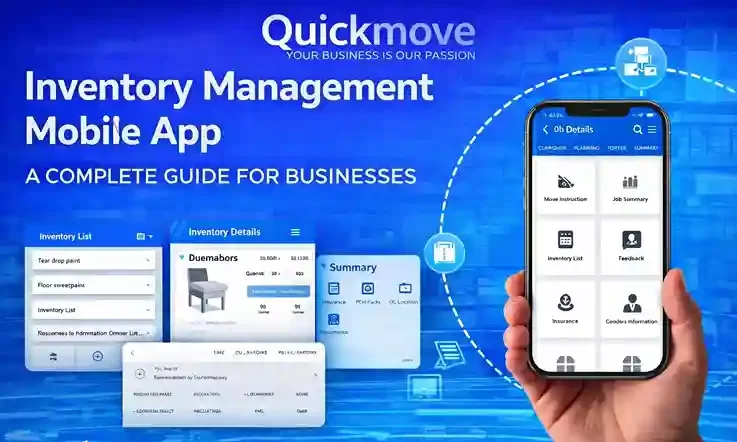
Running a business that deals with physical products is never simple. Whether you manage a warehouse, handle field deliveries, or move goods between locations every day, inventory is always at the center of everything. One small mistake — a missing item, delayed delivery, or incorrect stock count — can quickly turn into lost revenue and unhappy customers.
This is exactly where an inventory management mobile app becomes not just useful, but essential.
In this blog, we’ll take a deep and honest look at Quickmove’s Inventory Management Mobile App — what it does, how it helps real businesses, and why mobile-first inventory management is becoming the new standard.
Why Inventory Management Is Still a Big Challenge
Inventory management sounds simple in theory: track what you have, where it is, and when it moves. In reality, it’s one of the most complex parts of any supply chain.
Here’s why:
- Inventory moves constantly
- Data is handled by multiple people
- Warehouses are busy environments
- Deliveries happen on tight schedules
- Errors compound very quickly
Many businesses still rely on spreadsheets, manual logs, or disconnected systems. These tools worked when operations were small. But once volume increases, these methods break down.
That’s why businesses are moving toward an inventory management mobile app — a tool designed for real-time, on-the-go inventory control.
What Is an Inventory Management Mobile App?
An inventory management mobile app is a software application that allows businesses to track, manage, and control inventory directly from a smartphone or tablet.
Unlike desktop-only systems, mobile inventory apps allow teams to:
- Update stock levels instantly
- Track item locations in real time
- Record deliveries and returns on the spot
- Manage warehouse activities from the floor
- Access reports anytime, anywhere
The goal is simple: reduce delays, eliminate manual errors, and give visibility to everyone involved.
Why Mobile-First Inventory Management Matters Today
Business operations no longer happen at a desk.
Warehouse managers are on the floor. Delivery teams are on the road. Supervisors move between sites. Decision-makers need updates instantly, not at the end of the day.
A mobile-first inventory management app like Quickmove supports this reality by:
- Making data available in real time
- Allowing updates from any location
- Reducing dependency on paperwork
- Keeping teams aligned
Mobile inventory apps are not just convenient — they are practical tools for modern operations.
Common Problems Businesses Face Without a Mobile Inventory App
Before diving into QuickMove’s mobile inventory management system, it’s important to understand the problems it solves.
Stock Mismatch
Manual stock updates lead to incorrect quantities. What the system shows and what’s actually in the warehouse don’t match.
Delayed Updates
Inventory updates happen hours or days later, causing confusion and poor planning.
Lost Goods in Transit
Once goods leave the warehouse, tracking becomes unclear.
Inefficient Warehouse Operations
Picking and put-away tasks are slow and unstructured.
Poor Reporting
Managers lack clear insights into stock movement and performance.
An inventory management mobile app directly addresses all these issues.
Introducing Quickmove Inventory Management Mobile App
QuickMove is designed for businesses that move goods regularly and need complete control over inventory, deliveries, and warehouse operations.
The QuickMove inventory management app focuses on:
- Simplicity
- Accuracy
- Real-time visibility
- Operational efficiency
It’s not built for theory. It’s built for daily use by warehouse teams, delivery staff, and managers.
Core Features of Quickmove Inventory Management App
Let’s look at the main features and how they work in real situations.
Inventory Management
At its core, QuickMove provides strong and reliable inventory management.
It helps you track:
- Item quantities
- Storage locations
- Current status (available, reserved, in transit, returned)
Every inventory update is recorded in real time, reducing errors and confusion.
Why this matters:
Accurate inventory data means fewer surprises, better planning, and smoother operations.
Delivery Management
Deliveries are a critical part of inventory movement. QuickMove simplifies delivery management by allowing users to:
- Create delivery notes
- Add recipient details
- Assign delivery dates
- List shipped items
All delivery data stays connected to inventory records, ensuring full traceability.
Result:
No missing paperwork. No confusion about what was delivered and when.
Goods Transit Management
Tracking goods while they are in transit is often a blind spot for businesses.
QuickMove solves this by allowing teams to:
- Track goods sent to suppliers
- Record supplier receipts
- Manage return notes
- Monitor transit status
This ensures that inventory remains visible even when it’s not physically in the warehouse.
Job Summary
Quickmove provides clear job summaries that include:
- Job status
- Completion dates
- Assigned personnel
This feature helps managers track who did what and when — without chasing updates.
Warehouse Operations
Warehouse efficiency depends on structured processes.
QuickMove supports:
- Put away operations
- Picking processes
These workflows ensure that items are stored correctly and picked accurately, saving time and reducing errors.
Reporting and Analytics
Data is only useful if you can understand it.
QuickMove generates reports on:
- Inventory levels
- Delivery performance
- Goods in transit
- Warehouse operations
Managers can analyze trends, identify bottlenecks, and make informed decisions.
How Quickmove Improves Daily Operations
The real strength of an inventory management mobile app lies in daily use.
With QuickMove:
- Warehouse staff update stock instantly
- Delivery teams record deliveries on the spot
- Managers get real-time visibility
- Errors are caught early
This creates smoother workflows and less stress across teams.
Real-World Use Cases for Different Industries
QuickMove is flexible enough to support multiple industries.
Logistics and Supply Chain
Track goods from warehouse to delivery and back.
Retail and Distribution
Maintain accurate stock levels across locations.
Manufacturing
Monitor raw materials, finished goods, and returns.
Field Services
Manage tools, equipment, and spare parts on the go.
Inventory Accuracy: Why It Directly Impacts Profit
Poor inventory accuracy leads to:
- Overstocking
- Stockouts
- Wasted storage space
- Lost sales
A mobile app for inventory management like QuickMove improves accuracy by capturing data at the source — when inventory actually moves.
Managing Inventory Across Multiple Locations
QuickMove supports inventory tracking across:
- Multiple warehouses
- Storage locations
- Delivery routes
This is especially valuable for growing businesses with distributed operations.
Warehouse Efficiency with Put Away and Picking
Structured warehouse workflows reduce mistakes.
QuickMove’s put away and picking features:
- Reduce search time
- Improve order accuracy
- Increase productivity
Delivery and Transit Visibility in Real Time
Knowing where goods are — at all times — builds trust and efficiency.
QuickMove ensures:
- Full delivery traceability
- Clear transit records
- Accurate stock status
How Reporting Helps You Make Better Decisions
Reports are not just for audits.
With QuickMove, reports help you:
- Forecast inventory needs
- Identify slow-moving items
- Improve delivery performance
Mobile App vs Traditional Inventory Software
Traditional systems are:
- Desk-bound
- Slow to update
- Hard to scale
A mobile inventory management app like QuickMove is:
- Flexible
- Real-time
- Designed for field use
Security, Reliability, and Data Trust
Trust is essential in inventory systems.
QuickMove ensures:
- Secure data handling
- Controlled access
- Reliable records
Scalability: Growing with Your Business
As your operations grow, QuickMove grows with you.
You can:
- Add users
- Manage more locations
- Handle higher inventory volumes
Best Practices for Using an Inventory Management Mobile App
To get the most out of QuickMove:
- Train your team properly
- Update inventory in real time
- Use reports regularly
- Standardize workflows
Is Quickmove Right for You?
If your business handles inventory, deliveries, or warehouse operations, an inventory management mobile app is no longer optional.
QuickMove offers a practical, reliable, and easy-to-use solution that fits real-world operations — not just dashboards and reports.
It helps you:
- Stay in control
- Reduce errors
- Improve efficiency
- Make smarter decisions
If you’re ready to move beyond spreadsheets and manual tracking, QuickMove’s inventory management mobile app is a strong step forward.