Email Us
 Freight Forwarding Software
 Warehouse Management System
 Transport Management System
 Moving/Removal Software
 Service Portal
 Move Survey Quote Pro
 Digital Logistics Inventory App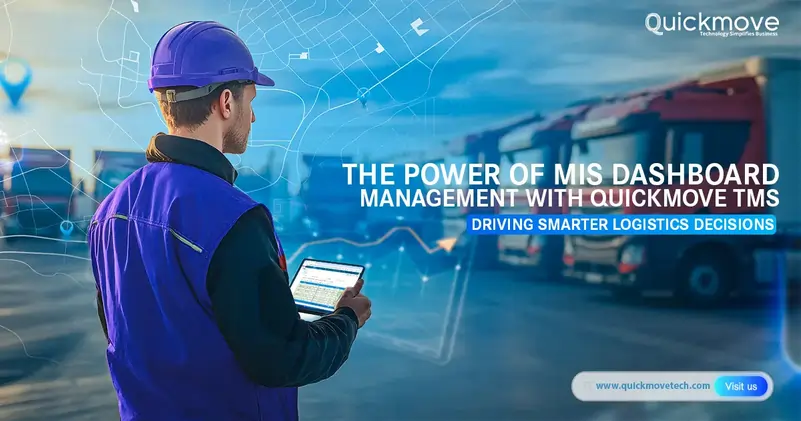
Ask any logistics manager what keeps them awake at night, and the answer will involve some combination of “where is my truck?”, “why did shipment X fail?”, or “why is fuel consumption spiking this quarter?”. The issue is not an absence of information but rather information overload coming from disparate sources: excel sheets, whatsapp, phone calls, carriers’ portals, and even delivery slips.
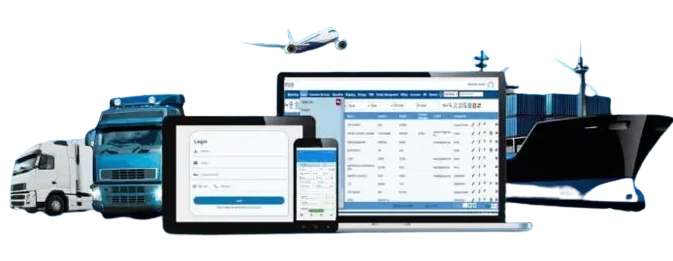
A proper Transport Management System serves as the cure to this information overload by consolidating and contextualizing relevant information in a MIS dashboard which provides a birds-eye view of the operations while highlighting areas of improvement.
QuickMove’s TMS is designed to fulfill this role of providing actionable information for a logistics manager via the MIS dashboard.
The MIS Dashboard in Logistics: A Nerve Center, Not Eye Candy
While MIS dashboards in logistics tend to be flashy, the underlying information they provide serves a critical role in day-to-day operations. An MIS dashboard essentially collates information from a TMS such as whereabouts of vehicles, status of delivery, fuel consumption, and alerts for a logistics manager. These insights help him or her to understand what is going on at any given moment. It lets the manager know if a particular truck is late, or if something is amiss on a certain route.
What’s more, an MIS dashboard serves to respond to day-to-day queries from shippers, drivers, and customers. While the manager may not have the bandwidth to address each query personally, he or she can use the MIS dashboard to quickly understand the context of the query and take appropriate action.
How QuickMove TMS Powers your MIS Dashboard (i.e. your Profitability)
Your MIS dashboard is only as good as the source from which it pulls information. QuickMove TMS provides an array of modules that feed into various aspects of your MIS dashboard.
Here’s how QuickMove TMS can power your MIS dashboard:
From Phone Tag to Shipments Automation
Manual coordination between multiple parties takes a toll on everyone’s time and energy. QuickMove’s end-to-end shipments automation helps you manage, execute, and track your regular shipments without the need for constant human intervention. This reduces the number of queries that a manager has to field while ensuring that those that require his or her intervention are routed to the right person. The QuickMove TMS-powered MIS dashboard will then highlight only the exceptions, i.e., the 5% of shipments that require manual intervention.
Seamless Integration to Remove Information Silos
Your TMS should serve the needs of procurement, dispatch, billing, and customer service functions. This is why it is vital to choose a TMS that offers seamless API-first integration with your ERP and other third-party systems. This lets you unify data related to purchase orders, stock, and sales into one place accessible via your MIS dashboard. As a result, the dashboard can provide a 360-degree view of your operations without disparate data silos. The unified data from TMS also lets you satisfy the needs of different stakeholders. For example:
- Procurement managers can see carrier performance
- Billing managers can get shipment costs
- Customer service managers can monitor delivery status
Optimize Load To Say Goodbye to Empty Miles
Empty backhaul or partial loads are a pain for any logistics manager. QuickMove’s intelligent load management for full truck load and part truck load helps you configure your assets in a manner that optimizes the utilization of your every trip. Your MIS dashboard will then be able to show you relevant figures relating to load optimization so that you can keep a watch on empty miles and capitalize on them.
Fleet Management: Track Every Asset
Whether you have owned, hired, or 3PL assets, you need a single view of all these to ensure that your costs are optimized. QuickMove’s fleet and vehicle management features give you this single view so that you can analyze costs versus performance of every asset type on your network. This insight helps you make smarter choices on whether to buy or outsource particular services.
In-transit Tracking to Keep Everyone Updated
In-transit location tracking has become a norm these days, and rightly so. QuickMove enables you to keep a tab on where your truck is in real-time so that you can provide the latest updates to your customers. The in-transit tracking also generates alerts in case of any deviation from the planned route. This lets you update the customers before they ask you, thereby improving customer satisfaction and reducing customer service queries for the logistics manager.
e-POD and e-LR Collection for Faster Billing and Dispute Resolution
POD and LR collection is often a tedious process involving follow-ups with multiple stakeholders. QuickMove’s digital proof of delivery capture ensures that you have a digital record of your delivery at the time of delivery. This helps you reduce on disputes as well as accelerate billing as the e-POD captures the delivery confirmation at the time of delivery. This information also makes its way into your MIS dashboard, where it serves as a reference point if the customer denies receipt of goods.
Centralized View of All Delivery Types for Easier Oversight
Depending on your business needs, you may have a variety of delivery types ranging from hub-to-hub or hub-to-store, to last-mile or direct delivery. QuickMove’s centralized delivery management gives you an overview of all delivery types so that you can manage things without switching between multiple dashboards. As a result, your day-to-day operations can be managed seamlessly in conjunction with high-level MIS dashboards.
The Modules That Power Your MIS Dashboard in QuickMove TMS
The MIS dashboard features in QuickMove TMS are actually driven by underlying modules that offer detailed insights into your operations. These modules break down information related to shipping, billing, customer service, and more so that you can analyze the relevant information:
Operations & Shipping Module
This module captures information about operations and helps the logistics manager understand where there are delays in the order-to-delivery cycle. He or she can use this information to drive improvements on the shop floor. This module also breaks down information about exceptions in various routes and drivers to ensure that appropriate action is taken.
Billing & Accounting Module
This module helps you standardize your billing processes while reducing the administrative burden on your finance team. The MIS dashboard here lets the manager ensure that invoicing is happening as per SLAs while also analyzing profitability by customer.
Customer Services Module
This module provides a summary of complaints and feedback so that an appropriate action plan can be developed. It allows a manager to identify his most profitable and least profitable customers so that he or she can optimize his efforts. It also helps him or her to provide better support to customers by understanding their requirements.
Procurement Module
This module helps the procurement manager to identify reliable vendors who perform consistently well. He or she can take informed decisions on which vendors to use based on the insights on costs and performance of various vendors.
HR & Payroll Module
Finally, this module ensures that payroll information is accurate and supports better decision-making on employee compensation while aligning employee performance with business goals.
What You Actually Get: The Power of QuickMove TMS + MIS Dashboard Summarized
Rather than get bogged down by all the features and functions, here are some of the key benefits that a logistics manager can derive from the MIS dashboard that is powered by QuickMove TMS:
Operations:
- Rather than spending hours on the phone trying to locate drivers or update customers, the logistics manager can spend that time analyzing MIS dashboard to improve his operations.
- The manager will also be able to take timely action on alerts, reducing the number of exceptions and helping him or her to manage operations more efficiently.
Cost Savings:
- The logistics manager can reduce costs by up to 5-8% in terms of fuel by utilizing the TMS’s route optimization features.
- The MIS dashboard will give him or her a consolidated view of all fuel consumption and help him or her spot areas of improvement.
- Similarly, by taking appropriate action as suggested by the MIS dashboard, the manager can ensure that costs are controlled.
Customer Retention:
- The manager will notice that most customer queries pertain to order tracking.
- By leveraging location tracking features in QuickMove TMS, he or she can provide automated tracking information to his or her customers.
- This reduces calls to the logistics manager, enabling him or her to handle more important queries.
Billing Cycle:
- With faster POD capture, the manager can accelerate the billing process.
- Since the e-POD information makes its way into the MIS dashboard, the finance team can also ensure faster invoicing and faster customer payments.
Growth:
- As the operations scale, the manager will not have to worry about managing more customers or vehicles.
- With TMS-driven MIS dashboard, he or she can scale with confidence as the software grows along with his business.
See Your Logistics Operations Clearly with QuickMove
Your logistics operations are generating a ton of data every day. Perhaps it’s time to leverage this data to derive actionable insights on how to improve operations while reducing costs. QuickMove TMS can power your MIS dashboard to help you answer exactly these kinds of questions.