Email Us

 Freight Forwarding Software
 Warehouse Management System
 Transport Management System
 Moving/Removal Software
 Customer Service Portal
 Move Survey Quote Pro
 Digital Logistics Inventory App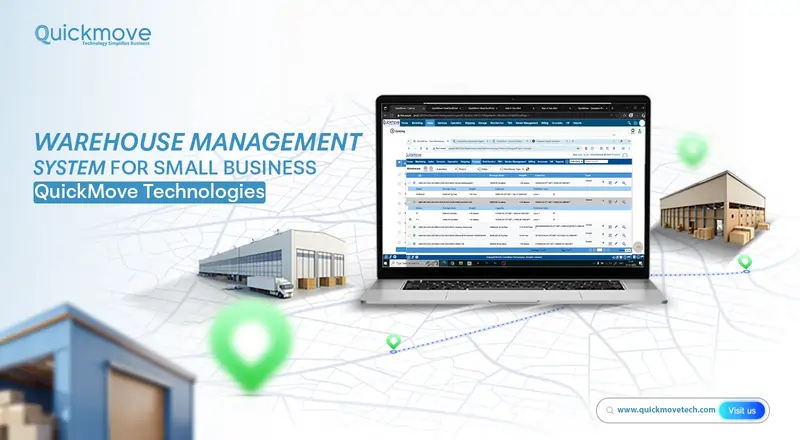
Running a small business is never simple. If your business stores products in a warehouse, stock room, or distribution space, keeping track of inventory can become a daily challenge. One missed shipment, misplaced item, or incorrect stock count can affect customer satisfaction and reduce profits.
A Warehouse Management System (WMS) helps solve these problems by organizing inventory, improving order accuracy, and making warehouse operations easier to manage. While many people think a WMS is only for large enterprises, small businesses can benefit just as much from having a reliable warehouse management system.
At QuickMove Technologies, we understand the unique challenges small businesses face. Our warehouse management system for small business is designed to be practical, easy to use, and scalable, helping businesses improve inventory control without adding unnecessary complexity.
What Is a Warehouse Management System?
A Warehouse Management System (WMS) is software that helps businesses manage the movement and storage of goods inside a warehouse. It tracks inventory from the moment products arrive until they are shipped to customers.
Instead of relying on spreadsheets or manual record-keeping, a WMS provides real-time visibility into inventory levels, stock locations, and order status.
A WMS typically helps with:
- Inventory tracking – Knowing what products are in stock and where they are stored.
- Stock receiving – Recording incoming goods accurately.
- Put-away management – Assigning the right storage location for products.
- Order picking – Guiding staff to the correct items for customer orders.
- Packing and shipping – Ensuring orders are prepared correctly and sent on time.
- Reporting – Providing insights into inventory movement and warehouse performance.
For a small business, this means less confusion, fewer errors, and more confidence in day-to-day warehouse operations.
Why Small Businesses Need a Warehouse Management System
Small businesses often start with manual processes. In the beginning, it may seem manageable to track stock using notebooks or spreadsheets. But as the business grows, these methods can become unreliable and time-consuming.
Common challenges faced by small businesses:
- Inaccurate inventory counts – Manual tracking increases the chance of counting mistakes.
- Lost or misplaced items – Products may be stored in the wrong location, making them hard to find.
- Delayed order fulfillment – Staff spend extra time searching for items.
- Stockouts and overstocking – Without clear visibility, businesses may run out of popular items or hold too much inventory.
- Difficulty scaling operations – As order volume increases, manual processes become harder to maintain.
A warehouse management system for small business helps address these issues by creating a structured and organized workflow.
Benefits of a Warehouse Management System for Small Businesses
Improved Inventory Accuracy :-
Accurate inventory is essential for any business. A WMS updates stock levels automatically as products are received, moved, picked, and shipped. This reduces the risk of discrepancies between recorded inventory and actual stock.
For small businesses, accurate inventory means better purchasing decisions and fewer lost sales due to stockouts.
Faster Order Processing :-
When warehouse staff know exactly where products are stored, they can pick and pack orders more quickly. This leads to faster shipping times and improved customer satisfaction.
A WMS can also reduce the time spent searching for items, allowing employees to focus on more productive tasks.
Better Use of Storage Space :-
Small businesses often operate in limited warehouse space. A WMS helps organize storage locations efficiently, ensuring that products are stored in the most suitable areas.
This can reduce clutter, improve accessibility, and maximize the use of available space.
Reduced Manual Errors :-
Manual data entry is one of the most common sources of warehouse errors. A WMS automates many routine tasks, such as updating inventory records and generating pick lists.
By reducing manual work, businesses can minimize errors related to stock counts, order fulfillment, and shipping.
Real-Time Visibility :-
A WMS provides up-to-date information about inventory levels, stock movement, and order status. Business owners can monitor operations in real time and make informed decisions quickly.
This visibility is especially valuable for small businesses that need to respond quickly to changing customer demand.
Cost Savings :-
Although implementing a WMS requires an investment, it can lead to significant cost savings over time. Improved efficiency, reduced errors, and better inventory control help lower operational expenses.
For example, a small business may save money by avoiding excess inventory, reducing order returns, and minimizing labor costs associated with manual processes.
How QuickMove Technologies Supports Small Businesses
At QuickMove Technologies, we focus on creating solutions that are practical for real-world warehouse operations. Our WMS for small business is designed to help small businesses gain better control over inventory and streamline daily operations.
User-Friendly Interface :-
Small business teams may not have dedicated IT specialists or extensive software training. QuickMove Technologies provides a WMS with an intuitive interface, making it easier for staff to learn and use the system effectively.
Scalable Solution :-
A small business may start with a modest inventory, but growth can happen quickly. QuickMove’s WMS is scalable, allowing businesses to add features and handle higher order volumes as they expand.
Real-Time Inventory Tracking :-
Our system provides real-time updates on inventory levels and stock locations. This helps businesses maintain accurate records and avoid common inventory problems.
Order Management Features :-
QuickMove’s WMS supports the complete order fulfillment process, from receiving customer orders to picking, packing, and shipping products. This helps small businesses process orders more efficiently and maintain customer satisfaction.
Reporting and Analytics :-
The system provides reports that help business owners understand inventory trends, order patterns, and warehouse performance. These insights can support better decision-making and long-term planning.
Key Features to Look for in a WMS for Small Business
Not all warehouse management systems are the same. Small businesses should choose a WMS that matches their operational needs and budget.
Inventory Management :-
A good WMS should provide accurate inventory tracking and support multiple stock locations. It should also allow businesses to monitor stock levels in real time.
Barcode and QR Code Support :-
Barcode or QR code scanning can speed up receiving, picking, and stock counting processes. This reduces manual entry and improves accuracy.
Order Fulfillment Management :-
The system should support efficient order processing, including pick list generation, packing verification, and shipment tracking.
Multi-Warehouse Support
If a business operates more than one storage location, the WMS should allow multi-warehouse inventory tracking.
Integration Capabilities :-
A WMS should integrate with other business systems, such as accounting software, e-commerce platforms, and transport management systems.
Reporting Tools :-
Reports and analytics help businesses understand inventory movement, identify slow-moving products, and improve warehouse efficiency.
How a WMS Improves Daily Warehouse Operations
Receiving Goods :-
When new products arrive at the warehouse, a WMS helps record the received quantities accurately. Staff can scan barcodes or enter details into the system, ensuring that inventory records are updated immediately.
Put-Away Process :-
After receiving goods, the WMS can suggest the best storage location based on product type, available space, and warehouse layout. This helps maintain an organized warehouse.
Inventory Monitoring :-
Business owners can monitor stock levels at any time through the WMS dashboard. This helps identify low-stock items and plan replenishment before shortages occur.
Order Picking :-
The system generates pick lists that guide warehouse staff to the correct product locations. This reduces travel time within the warehouse and improves picking accuracy.
Packing and Shipping :-
Before shipping, the WMS can verify that the correct items have been packed for each order. This reduces shipping errors and helps ensure customers receive the right products.
Returns Management :-
Handling returned products can be challenging for small businesses. A WMS helps record returned items, update inventory levels, and determine whether products can be restocked or need further inspection.
Why QuickMove Technologies Is a Practical Choice :-
Choosing the right warehouse management system is an important decision for any small business. QuickMove Technologies offers a warehouse management solution that is designed to be practical, flexible, and easy to implement.
Designed for Small and Growing Businesses :-
Our WMS is built to support businesses that are expanding and need better control over warehouse operations.
Focus on Ease of Use :-
We understand that small business teams need software that is straightforward and easy to adopt. Our system is designed to minimize complexity and support quick learning.
Scalable Features :-
As your business grows, QuickMove’s WMS can adapt to changing operational needs, including higher inventory volumes and additional warehouse locations.
Reliable Support :-
Implementing a new system can raise questions and challenges. QuickMove Technologies provides support to help businesses use the system effectively and achieve the best results.
Steps to Implement a Warehouse Management System
Assess Your Current Warehouse Process :-
Before choosing a WMS, evaluate how your warehouse currently operates. Identify pain points such as inventory inaccuracies, delayed order processing, or storage inefficiencies.
Define Your Business Requirements :-
Determine what features are most important for your business. For example, you may need barcode scanning, multi-location tracking, or integration with an e-commerce platform.
Choose the Right WMS :-
Select a warehouse management system that matches your business size, budget, and operational goals. QuickMove Technologies offers solutions tailored to the needs of small businesses.
Train Your Team :-
Provide training for warehouse staff and managers so they understand how to use the system effectively. Proper training helps ensure a smooth transition and reduces resistance to change.
Monitor Performance :-
After implementation, monitor key performance indicators such as inventory accuracy, order processing time, and order fulfillment accuracy. Use this data to identify areas for improvement.
Common Misconceptions About WMS for Small Businesses
A WMS Is Only for Large Companies :-
Many small business owners believe that warehouse management systems are designed only for large enterprises. In reality, small businesses can benefit greatly from improved inventory control and streamlined operations.
A WMS Is Too Expensive :-
While there is an investment involved, a WMS can reduce costs associated with inventory errors, excess stock, delayed shipments, and manual labor.
A WMS Is Difficult to Use :-
Modern warehouse management systems, including QuickMove’s solution, are designed with user-friendly interfaces that make them accessible to small business teams.
Manual Tracking Is Sufficient :-
Manual tracking may work for very small inventories, but it becomes increasingly difficult to maintain accuracy as the business grows. A WMS provides the structure needed for long-term growth.
How WMS Supports Better Customer Service :-
Customer satisfaction is closely linked to warehouse performance. When orders are shipped on time and accurately, customers are more likely to trust the business and make repeat purchases.
A WMS supports better customer service by:
- Reducing order errors.
- Providing accurate stock availability information.
- Speeding up order fulfillment.
- Enabling better communication about order status.
- Reducing the likelihood of stockouts.
By improving warehouse operations, small businesses can create a more reliable and professional customer experience.
Measuring the Success of a WMS Implementation
After implementing a warehouse management system, small businesses should track performance to measure the impact of the solution.
Key metrics to monitor:
- Inventory accuracy rate – The percentage of inventory records that match actual stock.
- Order fulfillment accuracy – The percentage of orders shipped correctly.
- Order processing time – The time required to process and ship orders.
- Stock turnover rate – How quickly inventory is sold and replaced.
- Warehouse space utilization – How efficiently storage space is being used.
Tracking these metrics helps businesses understand the value of the WMS and identify opportunities for further improvement.
Future Trends in Warehouse Management :-
Warehouse management technology continues to evolve, and small businesses can benefit from adopting modern solutions early.
Cloud-Based WMS :-
Cloud-based systems allow businesses to access warehouse data from anywhere with an internet connection. This is especially useful for business owners who need remote visibility into operations.
Automation Integration :-
As small businesses grow, they may choose to integrate their WMS with automated equipment such as barcode scanners, conveyors, or sorting systems.
Data-Driven Decision Making :-
Advanced reporting and analytics help businesses make informed decisions about inventory purchasing, warehouse layout, and staffing requirements.
Why Investing in a WMS Is a Smart Business Decision
A warehouse management system is not just a tool for managing inventory; it is a strategic investment that supports business growth and operational efficiency.
For small businesses, the benefits of a WMS include:
- Greater inventory accuracy.
- Faster order fulfillment.
- Reduced operational costs.
- Better use of warehouse space.
- Improved customer satisfaction.
- Scalability for future growth.
By implementing a WMS, small businesses can build a stronger foundation for long-term success.
QuickMove Technologies: Helping Small Businesses Succeed
At QuickMove Technologies, we are committed to helping small businesses improve their warehouse operations through practical and reliable technology solutions.
Our Warehouse Management System is designed to provide:
- Real-time inventory visibility.
- Accurate stock tracking.
- Efficient order fulfillment.
- User-friendly operation.
- Scalable features for growing businesses.
- Reliable reporting and analytics.
We understand that every small business has unique requirements, and our team works to provide solutions that align with operational goals and growth plans.
Conclusion
Managing a warehouse efficiently is essential for small businesses that want to provide reliable service, control inventory costs, and prepare for growth. Manual processes may work in the early stages, but they often become difficult to maintain as order volumes increase.
A Warehouse Management System helps small businesses gain better control over inventory, improve order accuracy, and streamline daily warehouse operations. By adopting the right WMS, businesses can reduce errors, save time, and create a more efficient workflow.
QuickMove Technologies offers a warehouse management system suitable for the needs of small and growing businesses. With user-friendly features, real-time inventory tracking, scalable capabilities, and reliable support, our WMS helps businesses build a stronger and more organized warehouse operation.